Mobile+ App for Drivers: Chat With a Dispatcher
-
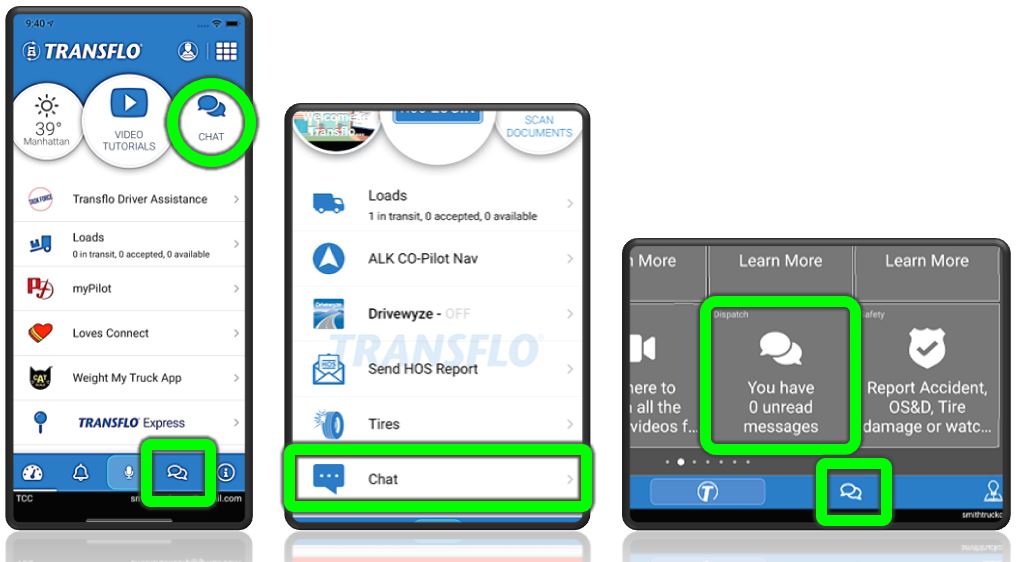
On the Dashboard or Home page, tap the Chat icon. This feature can appear in the bottom navigation bar, as a Dispatch tile, or as a Chat menu item or dial.
-
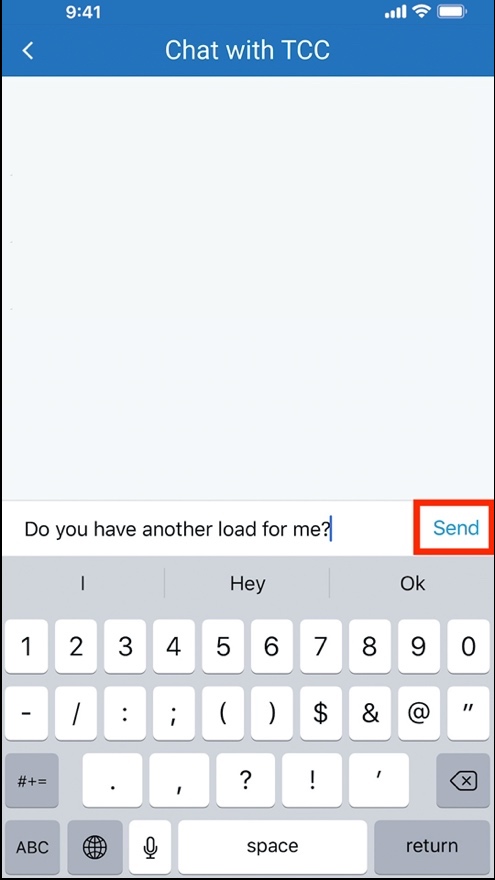
Type your message and then tap Send.
-
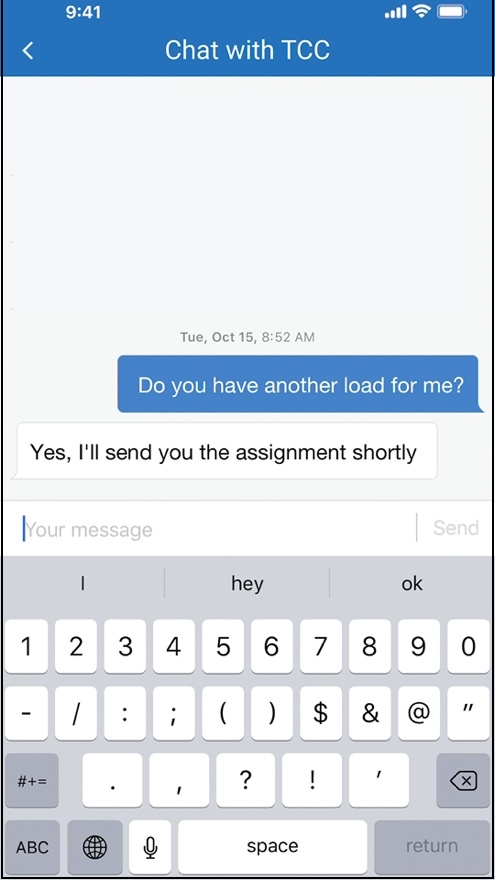
When your dispatcher or fleet manager replies, their message immediately appears below yours.
-
You can use other features in the app and get update notifications when a new chat message arrives.
-
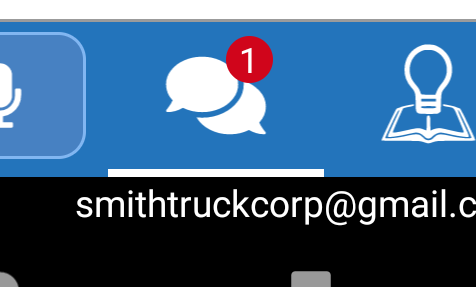
The Chat icon or menu item shows the number of new unread messages.
-
To read your new messages, tap the Chat menu item, button, or dial again.
-

|
Reminder: Transflo is the premier provider of popular commercial apps, custom white label apps, in-cab tablet editions, embedded handset editions, and thousands of additional fleet-specific integrated features. Due to all the possible product configuration changes for your specific fleet, it is possible that user interface labels, buttons, links, dials, tiles, icons, colors, logos, and placement on the screen can vary. Features can also be hidden from your view based on customer account, fleet ID, or user permissions. In the documentation, we cover a default setup with screen examples that are generally similar for smart phones and tablets running either iOS or Android OS. Adjust certain steps, if needed, to reflect your actual device, product configuration, and company policies.
|
 View a demonstration of these steps in one or more Transflo videos:
Note: This KB article is about the classic features in Loads 1.0 which will be upgraded to a completely new and improved Loads 2.0 driver workflow experience in late 2025 and early 2026. To learn more about Loads 2.0, see the New! Loads 2.0 KB. As a driver, use the KB articles that match the screens and steps you see in your Mobile+ app.
How Fleets Will Be Upgraded from Loads 1.0 to Loads 2.0
- As a fleet manager, you will receive an initial e-mail notification.
- Over the next two (2) weeks, a Transflo administrator will create your core load workflows and save them as templates so you can modify them in the future if you need.
- One (1) week before your migration date, you will receive another follow-up reminder e-mail. Work with your customer success manager to firm up a day and time window for your upgrade. For example, Tuesday, December 3 between 7:00 am and 7:00 pm (12-hour cutover).
- On your migration day and time, your drivers will need to restart their devices and might need to un-install and then re-install the latest Mobile+ app and register again.
- As a fleet manager or training instructor, it is very important that you provide all your drivers with their driver ID, the right fleet ID, and other essential registration data.
- By the end of the cut-over period, your drivers will now be using the new Transflo Load Workflows to manage all the required and optional steps to deliver their loads, submit load documents, and complete any other tasks you assign.
- To learn more about the Load Workflow 2.0 features for drivers, fleet administrators, and the developer SDK and API options, see the New! Loads 2.0 KB.
White label apps such as Crete, KLLM, Decker, Averitt, and many more and in-cab edition tablets will be updated in Summer 2026.


