Transflo DMS SaaS Client Applications
TRANSFLO® Document Management System (DMS) Client provides comprehensive SaaS solutions for your drivers, back-office team members, billing and finance staff, management, and administrators. The DMS SaaS Client edition is often called DMS Lite.
In February 2025, all user accounts for all Transflo DMS customers were migrated to our new AppStream platform powered by Amazon Web Services (AWS). The Citrix login option will no longer be supported as of February 28, 2025. Starting January 27, 2025, customers can begin logging in using the new AWS AppStream steps provided in this KB article.
 New! Log In to Transflo DMS (2025-26 AppStream Steps)
During a maintenance window from January 25-27, 2025, a subset of DMS Lite users were migrated from a legacy Citrix gateway solution to a new AppStream authentication interface powered by AWS to provide more robust access to their Transflo Cloud applications.

Note: The Citrix login option will no longer be supported as of February 28, 2025. Starting January 27, 2025, customers can begin logging in using the new AWS AppStream steps provided in this KB article.
After the January 2025 migration and full cut over in February, follow these steps to log in to your DMS SaaS client applications:
-
In a supported web browser, navigate to the following new link for the Transflo DMS system:
-
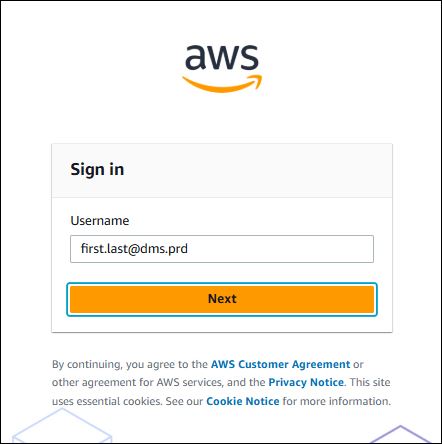
If you previously used the Citrix gateway to connect, enter the same credentials you used in the Citrix gateway. Follow this convention:
CompanyPrefix_Name
Examples:
PKT_JaneW
PKT_admin3
ATR_PJones
-
Click Next.
-
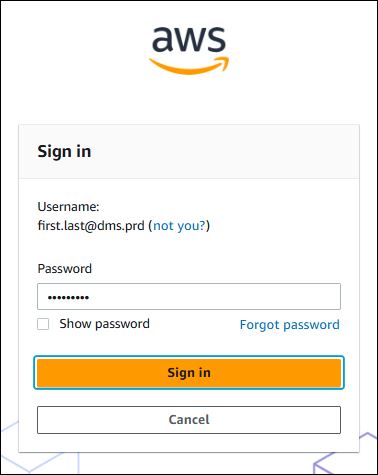
Enter your password.
-
Password characters are hidden for your protection. To show each character, click Show password.
-
If you cannot remember your AppStream password, click Forgot password to receive a special link that allows you to reset a new password.
-
If you are not the user identified in the Sign In window, click the not you? link. For example, you are on a shared workstation or shared browser session with another user and want to log in as you.
-
-
Click Sign in.
-
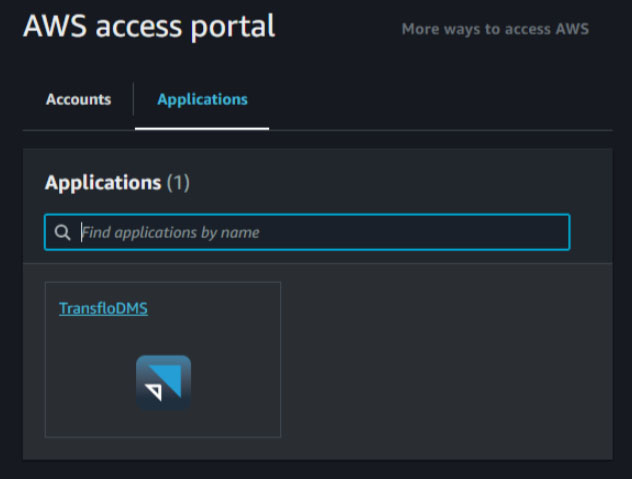
In the AWS Access Portal window, click the Applications tab.
-
Select TransfloDMS.
-
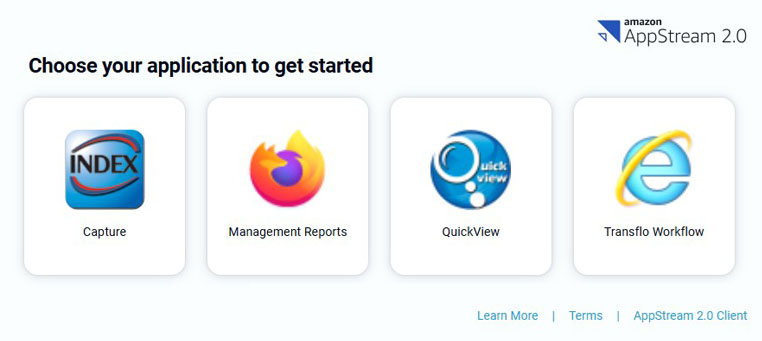
Select an application. For example, click Capture.
-
To log in, enter the same credentials (username and password) you already had for that application and click OK. (You can continue to set the Authentication field to TRANSFLO.)
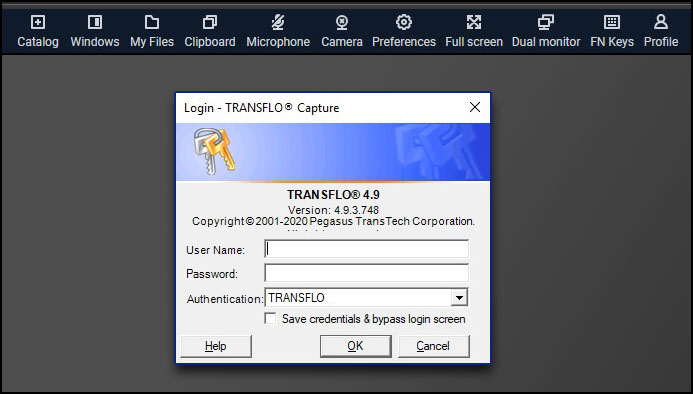

Tip: If you forget your DMS application password or if your DMS user account is locked as a result of too many failed login attempts, you can reset it at https://pwreset.transflodms.com/authorization.do.
-
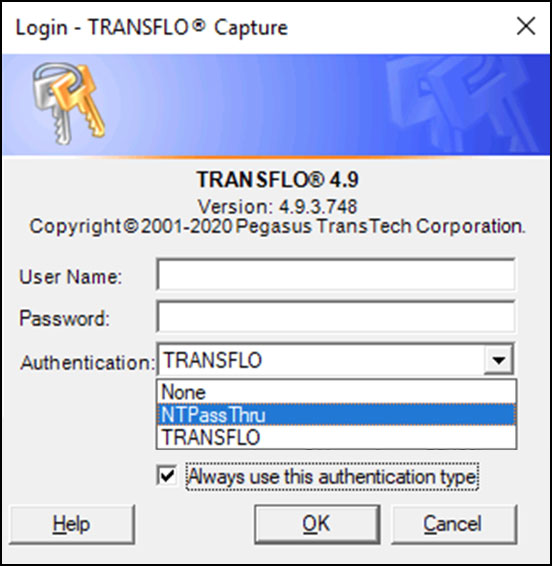
(Optional) To enter only your username, you can configure Capture, QuickView, and other DMS applications to use your AWS AppStream password:
-
In the Authentication field, select NTPassThru.
-
Select the Always use this authentication type check box.
-
From this point forward, you won't need to re-enter your application-specific password when logging in. After you enter your username and click OK, your AWS AppStream account credentials are passed into the application.
-
-
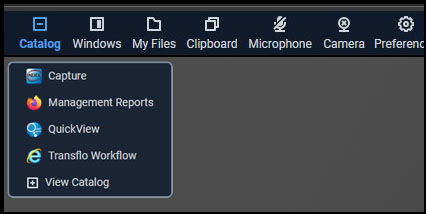
To launch other applications, click Catalog in the AWS AppStream menu bar at the top of your screen.
-
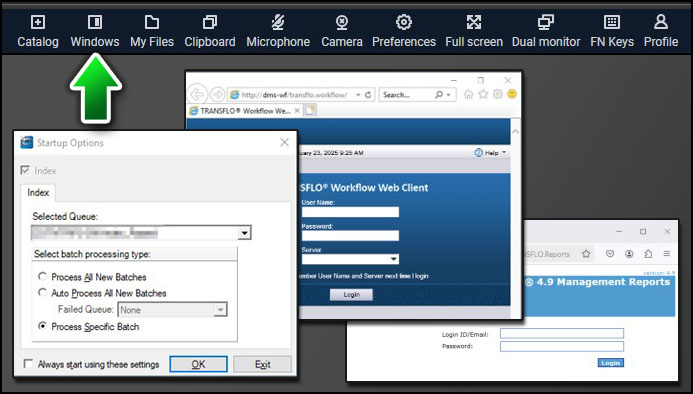
To view all the applications you opened in your current session, click Windows.
-
(Optional) To display applications in a second monitor:
-
On your primary display (Monitor 1), click Dual Monitor.
-
Drag the resulting AppStream window to a second display (Monitor 2).
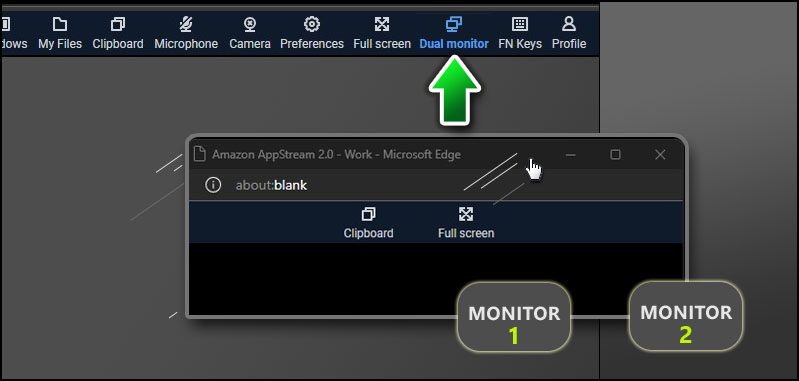
-
Drag an application from the primary AppStream window on Monitor 1 to the secondary window on Monitor 2.
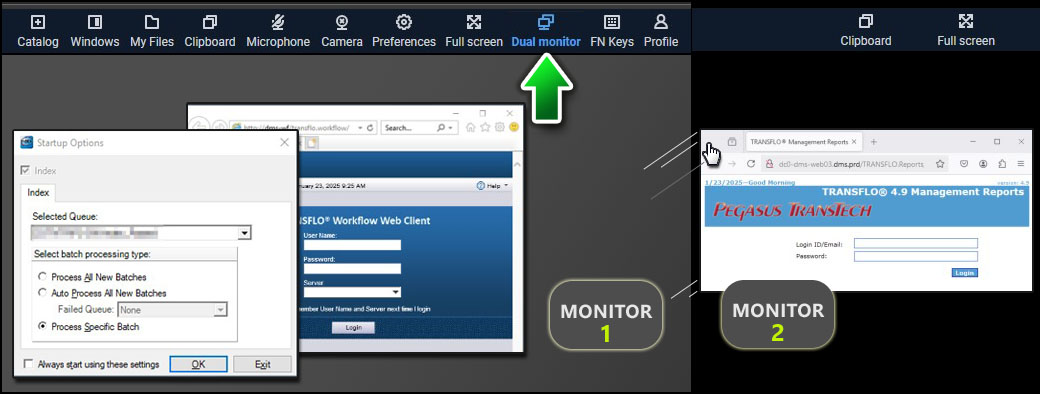
-
 View a demonstration of these steps in one or more Transflo videos:
Log In to Transflo DMS (Citrix Steps, No Longer Supported)
Before the January 25-27, 2025 migration, some system users logged in to the legacy Citrix gateway using the steps below. After the migration, users will log in through a new AWS AppStream interface to launch their Transflo DMS cloud apps.
Note: The Citrix login option will no longer be supported as of February 28, 2025. Starting January 27, 2025, customers can begin logging in using the new AWS AppStream steps provided in this KB article.
-
In a supported web browser, navigate to the following link for the Transflo DMS system:
-
Enter your Username and Password and click Log On.
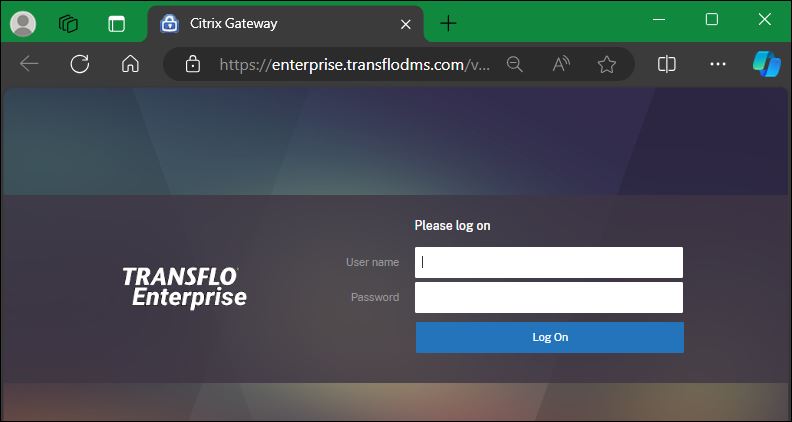
-
The Citrix Gateway software provided you with access to Transflo Enterprise DMS apps based on your subscription and permissions.
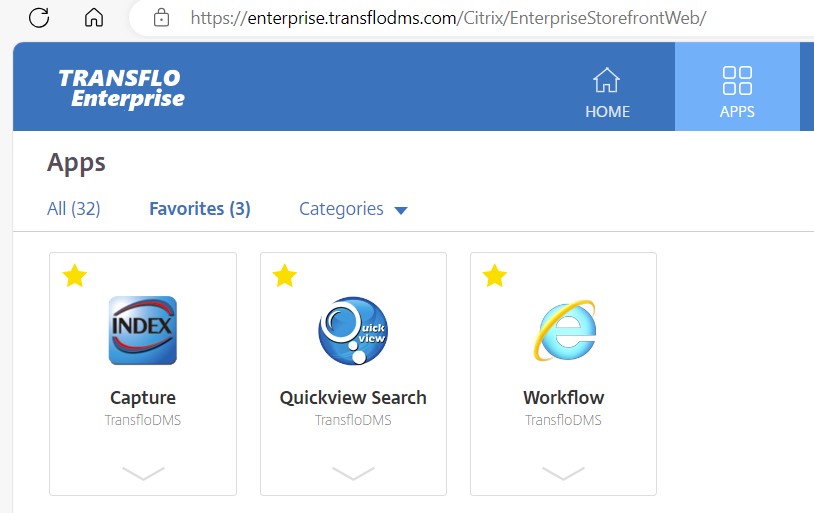
Standard DMS SaaS Components
The following solution features are included with your Translfo DMS Monthly SaaS Subscription:
-
Capture Indexing and Exception-Handling Application
-
Disaster Recovery (in the cloud)
-
ezView (Web based Image review and retrieval tool)
-
Index Validation (to retrieve and validate data from 3rd party applications)
-
Management Reports
-
Quickview (image review application)
-
Rendition Print (Invoice and document image rendering service)
-
Transfer Service application (FTP transfer and Printer output)
-
WebAPI licensing and API Documentation for custom external integrations
-
Workflow Solution (custom configured for business process document review rules; often includes an integrated DMS Document Explorer -- as of Feb 2026, the latest edition of Transflo DMS Document Explorer is 5.1.1.876)

 Yes (you found what you needed)
 No (you did not find what you needed)