Command Center Loads
The Command Center Loads application inside Transflo One Portal shows the loads you are authorized to view based on your profile as a carrier, broker, or shipper.
-
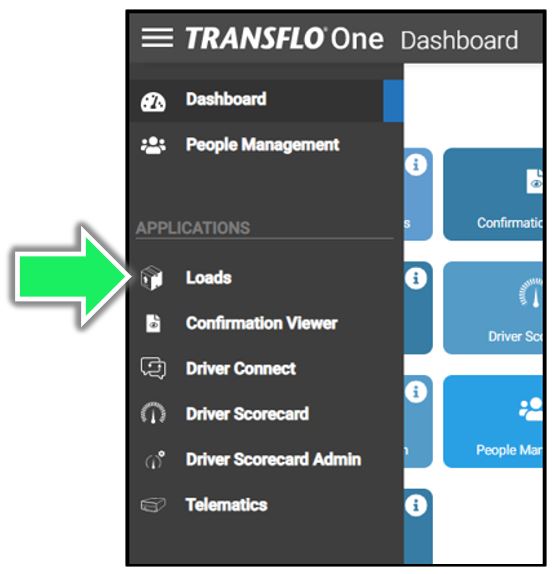
Click the ≡ Main Menu (side navigation menu).
-
Choose Loads.
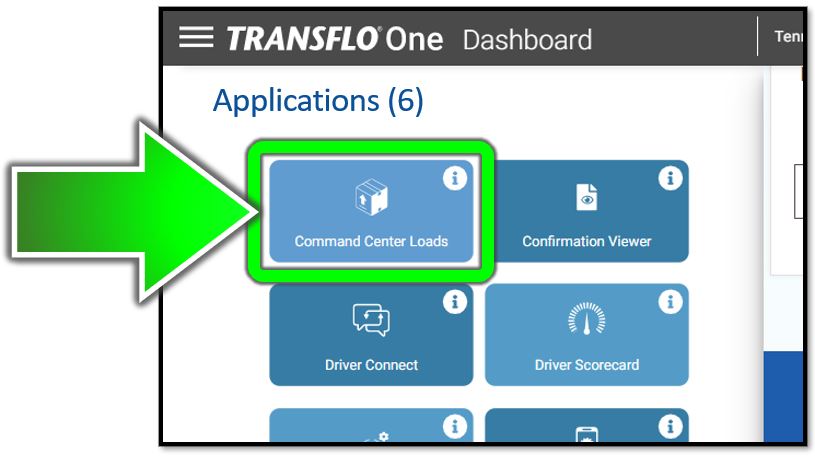
Or, on the dashboard, click the Command Center Loads button.
-
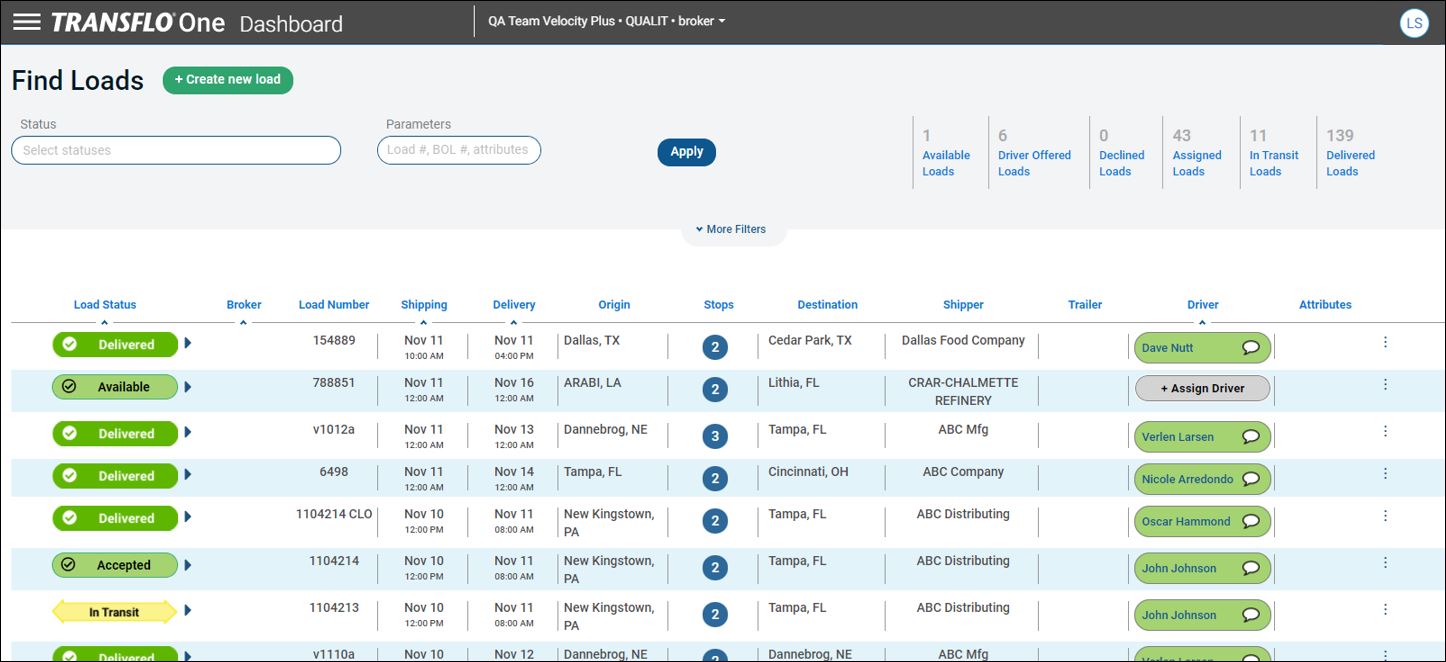
On the resulting Loads page, you can search for loads, view loads by status, get load details, or view documents for a specific load.

Was this help page helpful? To help us improve the documentation, click the Feedback... button at the top of this page and send us your praise or suggestions to make it even better.
 Yes (you found what you needed)
 No (you did not find what you needed)
Are you a carrier, broker, shipper, fleet manager, or administrator? Are you one of the 2.2 million professional drivers who rely on the Transflo Mobile+ app to deliver an average of 46+ million loads per year for 81 percent of the top 250 fleets and 80 percent of the top 10 freight brokers? As a leader in mission-critical automated supply chain solutions, Transflo processes over 4 million communications for carriers, shippers, and brokers each week, 52 weeks per year!
Transflo would love your feedback on our solutions and the support we provide to you!
Please take a moment to write a Google review about your experience with Transflo solutions, service, and support.
©2025 TRANSFLO®— a Pegasus Transtech Company
All rights reserved. Transflo believes the information in this publication is accurate as published; however, information is subject to change without notice. Use, copying, and distribution of any TRANSFLO software described in this publication requires an applicable software license. THE INFORMATION IN THIS PUBLICATION IS PROVIDED “AS IS.” TRANSFLO, LLC MAKES NO REPRESENTATIONS OR WARRANTIES OF ANY KIND WITH RESPECT TO THE INFORMATION IN THIS PUBLICATION, AND SPECIFICALLY DISCLAIMS IMPLIED WARRANTIES OF MERCHANTABILITY OR FITNESS FOR A PARTICULAR PURPOSE. Transflo content appearing in third-party AI chat bots and other third-party sites might not be accurate. For the latest updates about Transflo products, visit transflo.com and knowledge.transflo.com.