Manage Drivers
As a carrier, your configuration of Velocity+ Command Center supports the Driver Connect component which includes features that help you add drivers, manage driver data, and assign or offer loads. Because the Transflo platform establishes a direct interface between your Velocity+ Command Center load data and what drivers see in their Transflo Mobile+ app, you can also use Driver Connect to exchange chat messages with drivers.
After you add drivers, you can use the following time-saving convenience features to help you manage them in the system. For example, you can mark a driver as a favorite or temporarily hide a driver.
 Driver Connect Options
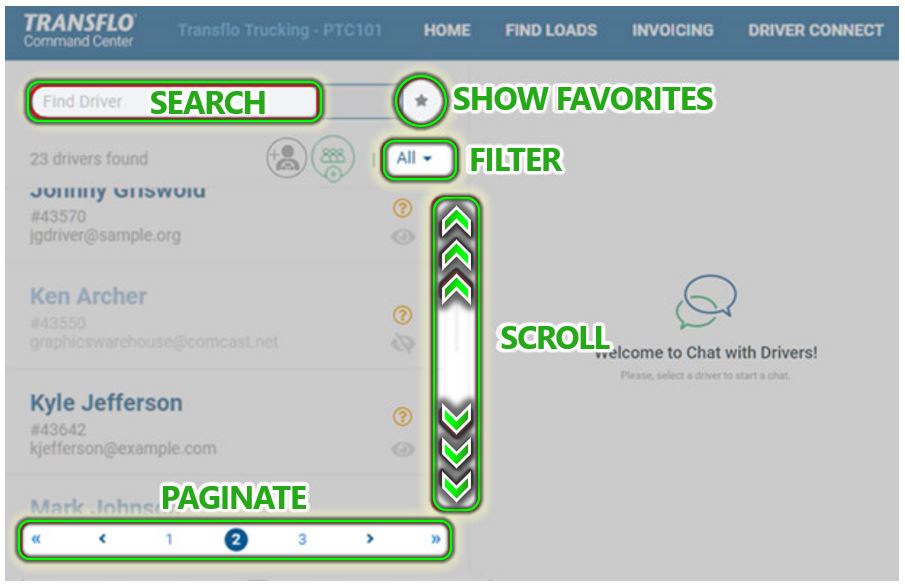
Refer to the following image to learn the options available on the DRIVER CONNECT page.
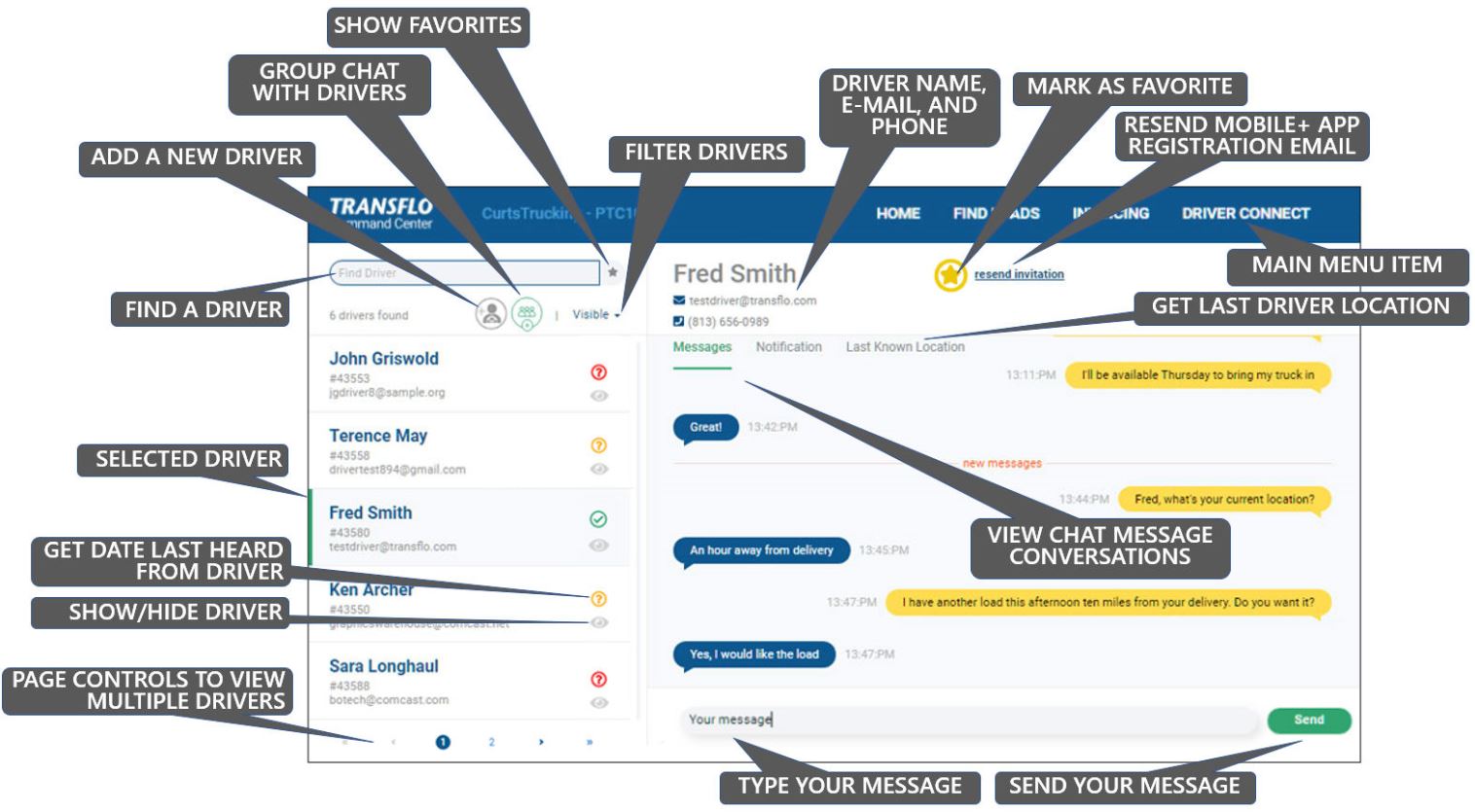
-
A green or yellow driver icon in the driver list means that the system has their Last Known Location:
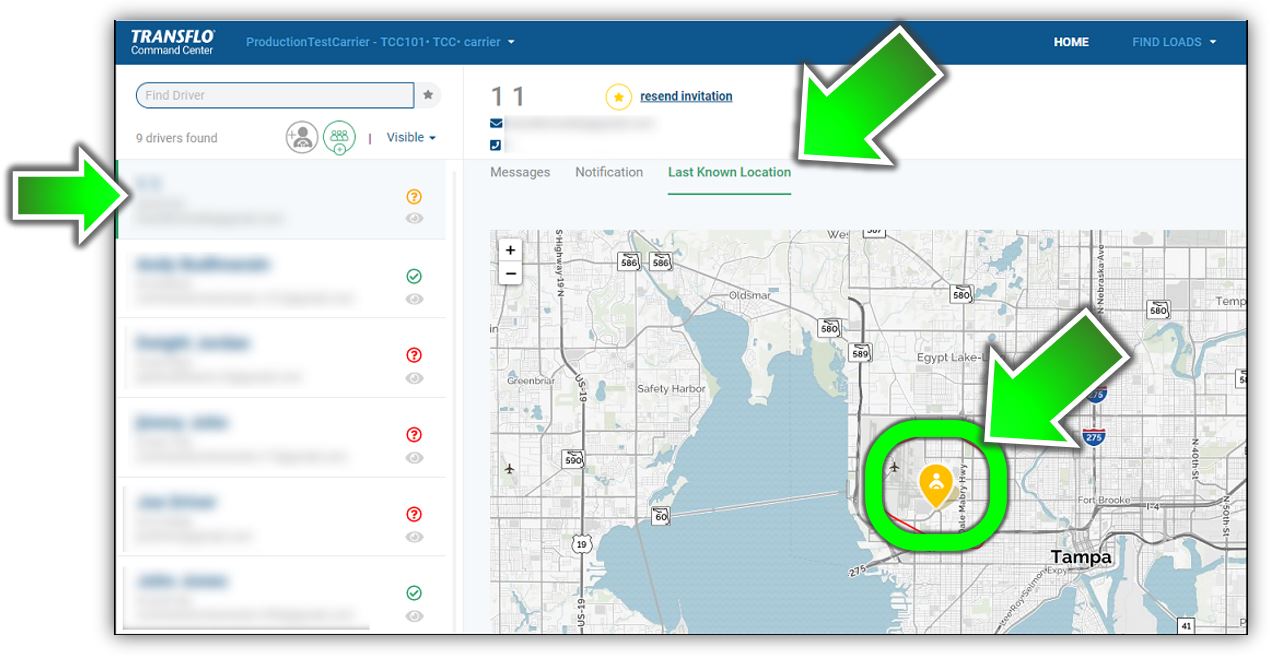
-
A red icon indicates that the last known location for the driver is unknown.
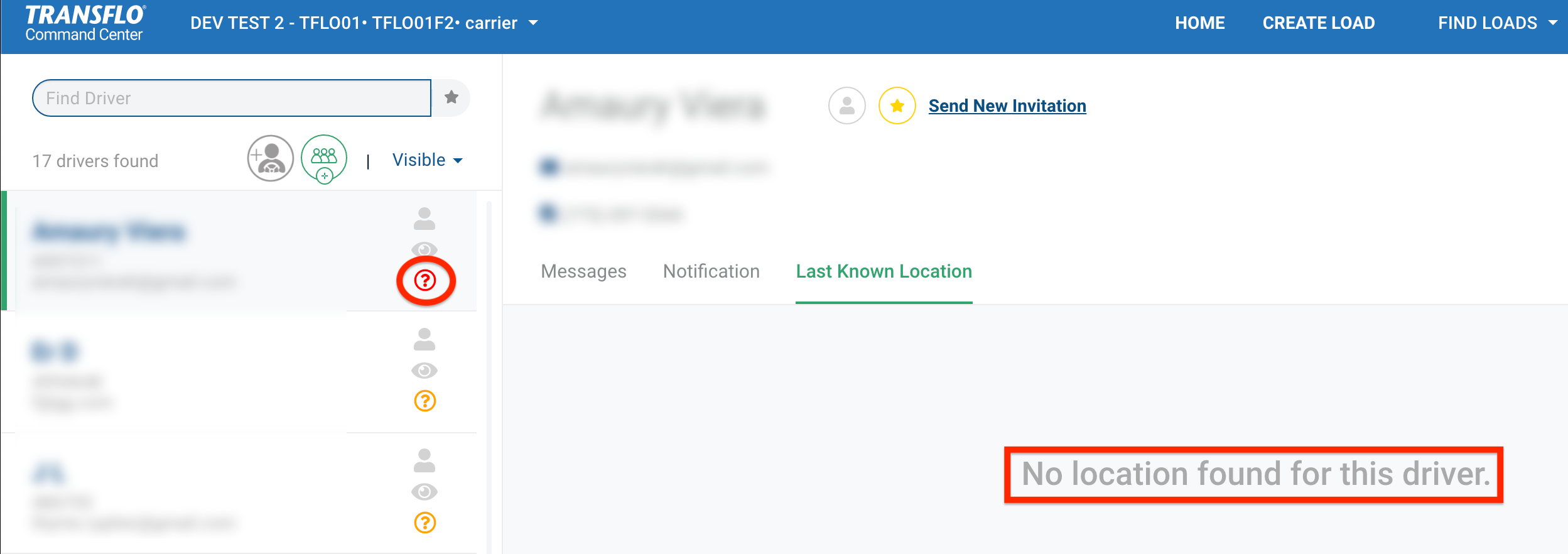
-
Brokers cannot see the locations of drivers after they have delivered a load.
-
Carriers cannot see the locations of drivers that are more than three (3) days old (this is configurable).
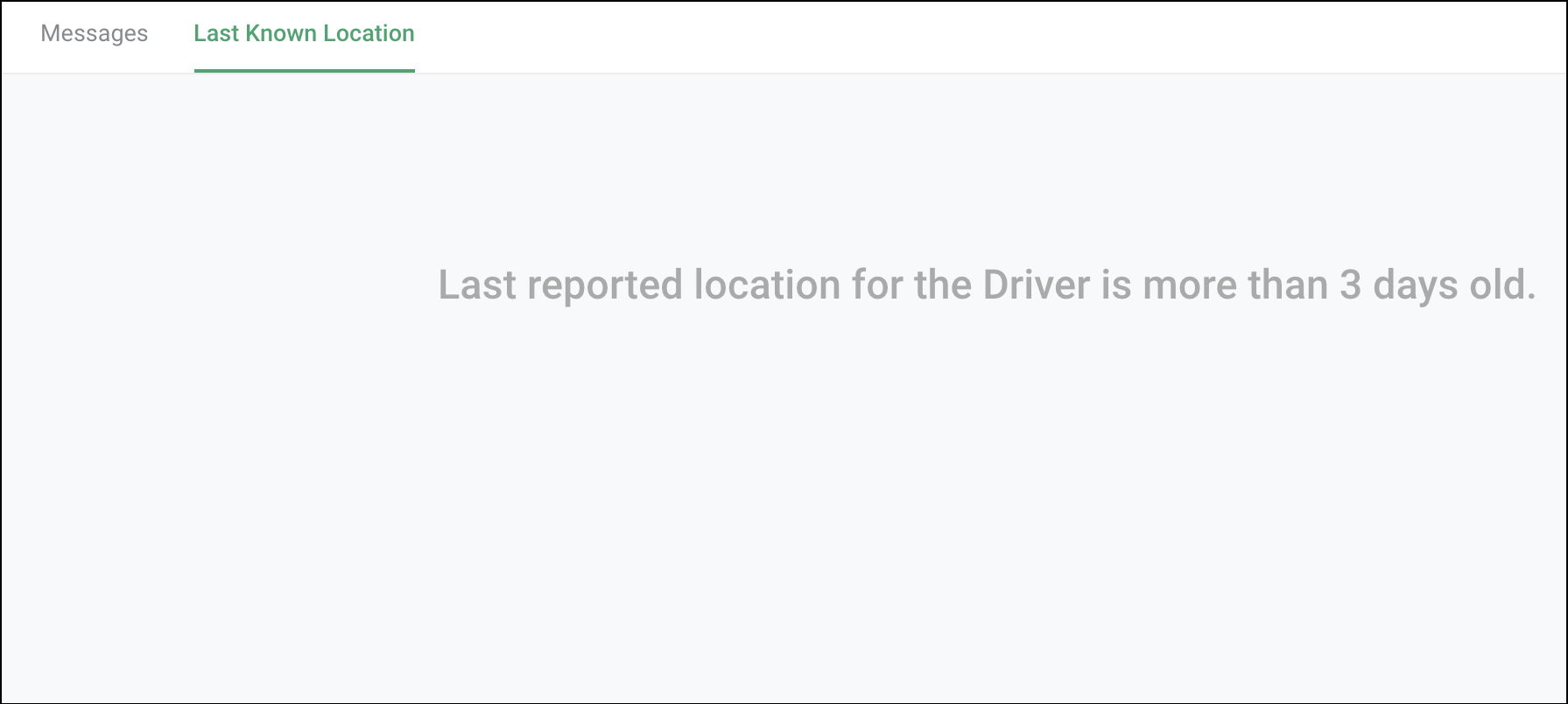
Hide a Driver
You cannot delete drivers; however, you can hide them to reduce visual clutter. When you hide a driver, they no longer appear when you assign or offer a load. For example, hide drivers who changed jobs, resigned, or retired. You only want to see active drivers visible in the system when assigning or messaging drivers. Hiding a driver does not delete any other historical data associated with the driver.
-
In the top menu bar, click DRIVER CONNECT.
-
Find a driver using any of the following options:
For example, a search on ter finds Terence May. Click Show Only Favorites to find a driver who was previously flagged as a favorite or preferred driver.
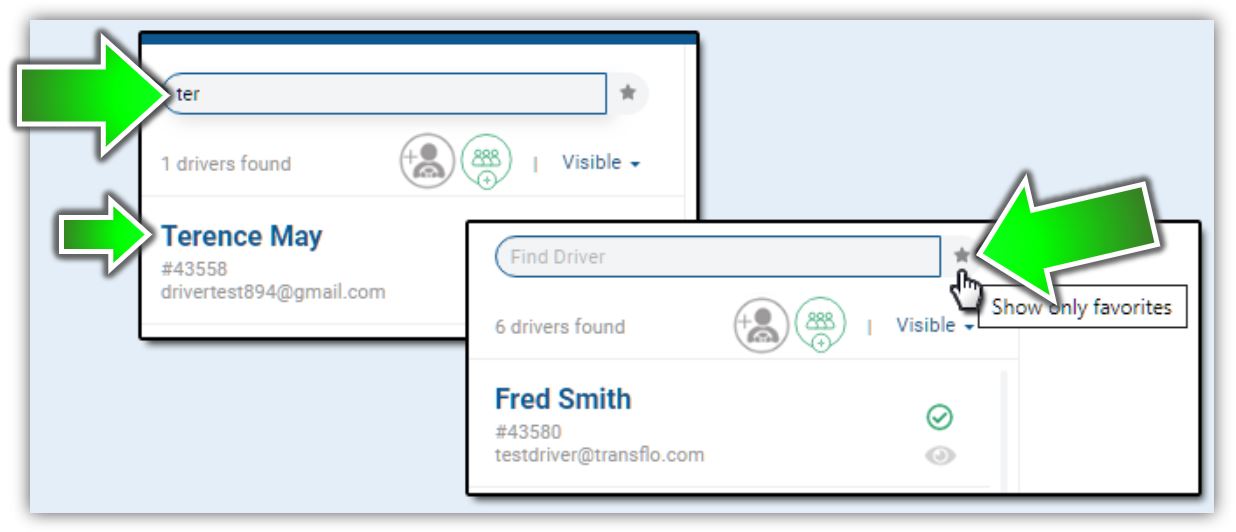
To learn more, see Find a Driver.
-
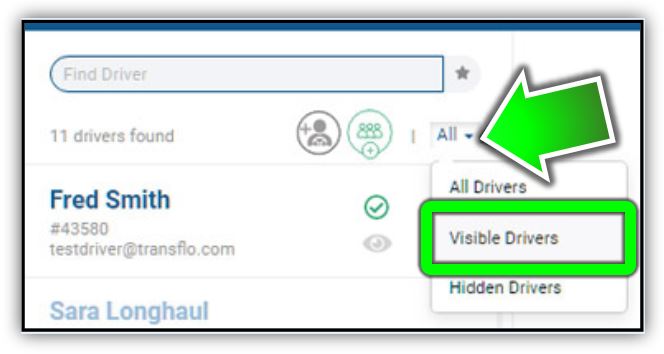
Because you are about to hide a driver, verify you have filtered by Visible Drivers or All Drivers. If you choose All Drivers, you can see the driver you are about to hide switch from visible to hidden in the same list. If you choose Visible Drivers, you won't see the driver after you hide them. You will have to re-filter on Hidden Drivers if you want to find that driver again.
Tip: We recommend that you remove the optional favorite status of a driver before you hide the driver. You might also need to reassign any active loads to other drivers before you hide a driver.
-
Inside the row for the driver you want to hide, click
 Select to Hide Driver.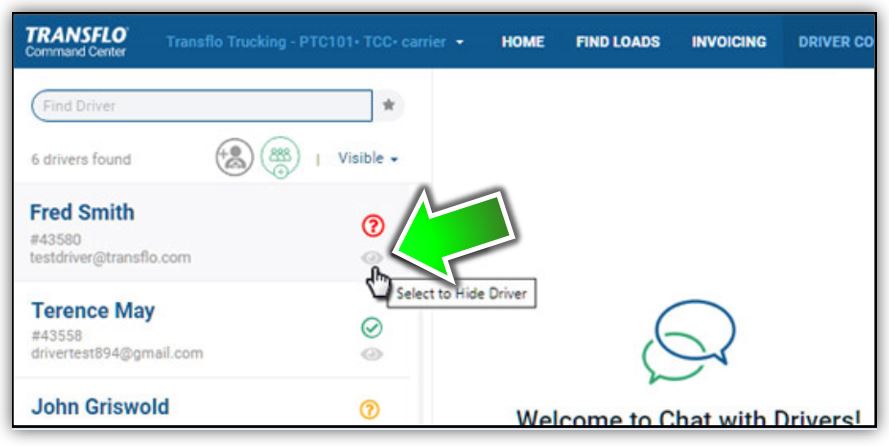
-
At the Are you sure? prompt, click Yes, Hide!
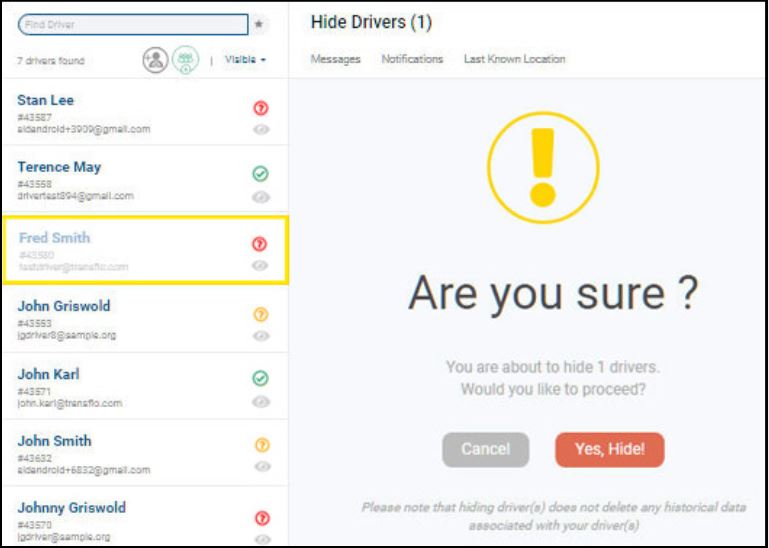
-
The
 Hidden or not visible icon and faded appearance of the entry indicate the driver is hidden and no longer appears as a visible driver.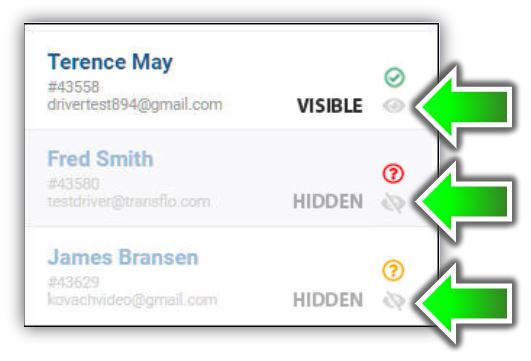
Tip: Each click on the show/hide icon toggles the show/hide status of the driver. To undo the hide operation, click
Select to Show Driver. The icon for the driver switches back to visible. Users can once again see the driver in the system.
Show a Driver
You can show a previously hidden driver. For example, after hiding a driver while they were out on an approved 6-week absence, you want to restore the driver to visible again so they can be assigned to deliver loads.
-
In the main menu, click DRIVER CONNECT.
-
Find the hidden driver that you want to show using any of the following options:
For example, a search on mark finds Mark Johnson.
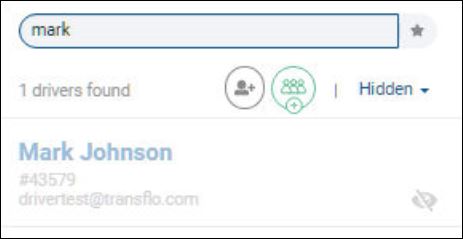
To learn more, see Find a Driver.
-
Verify you have selected Hidden Drivers or All Drivers as a filter.
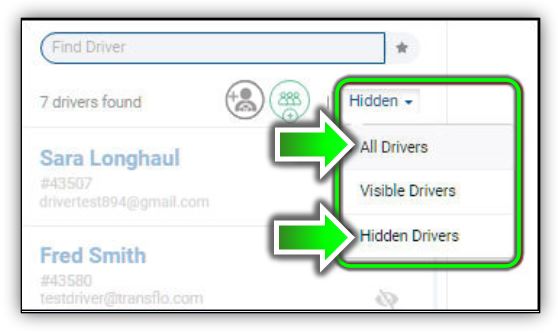
Tip: If you choose All Drivers, you can see the driver you are about to show switch from hidden to visible in the same list. If you choose Hidden Drivers, just remember that you won't see the driver after you show them. If you want to confirm your driver is showing as visible again, you will have to re-filter on Visible Drivers or All Drivers.
-
Inside the row for the driver you want to show, click
Select to Show Driver.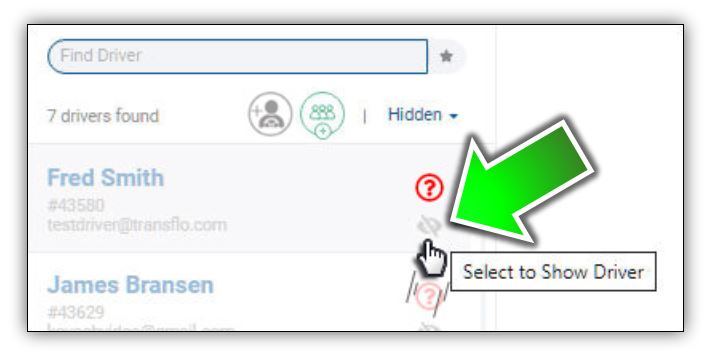
-
The visible icon indicates the driver is visible in the system and appears as a visible driver for load offers and assignments.
Tip: Each click on the show/hide icon toggles the show and hide status of the driver (best seen when you filter on All Drivers). To undo the show operation, click
Select to Hide Driver. The icon for the driver switches back to not visible. Users can no longer select the driver for loads in the system.
Mark a Driver as a Favorite
To easily identify and select preferred drivers over other drivers in the system, you can designate a driver as a favorite.
-
In the main menu, click DRIVER CONNECT.
-
Find a driver using any of the following options:
To learn more, see Find a Driver.
-
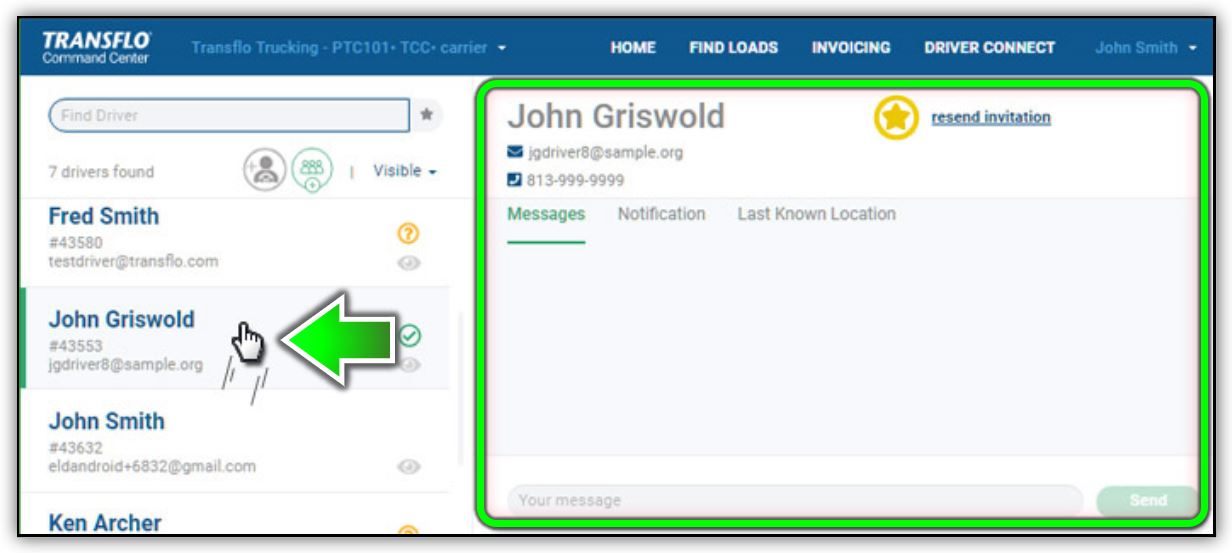
In the list of drivers on the left, select the driver that you want to mark as a favorite. Driver data for your selected driver appears in the panel on the right.
-
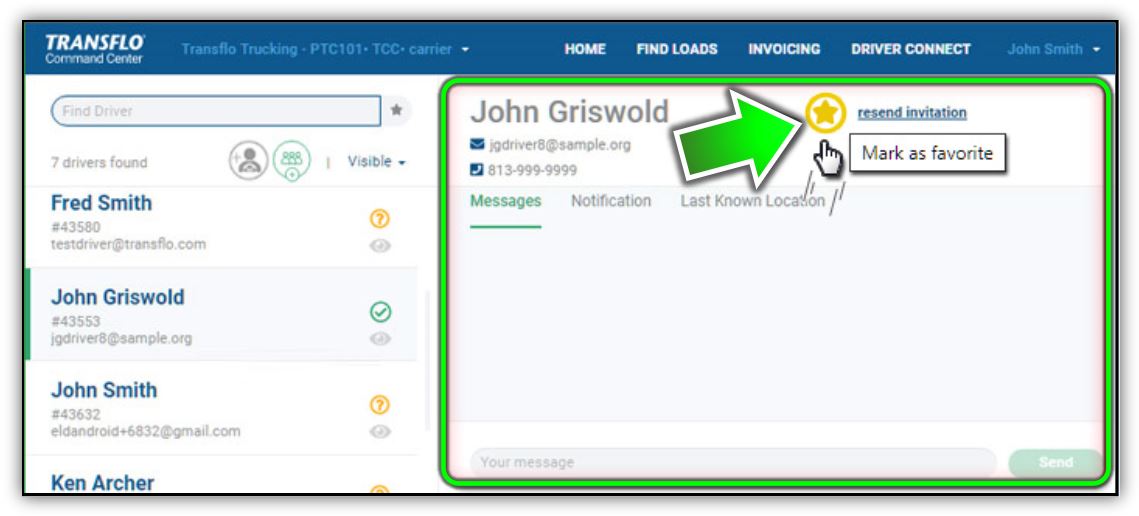
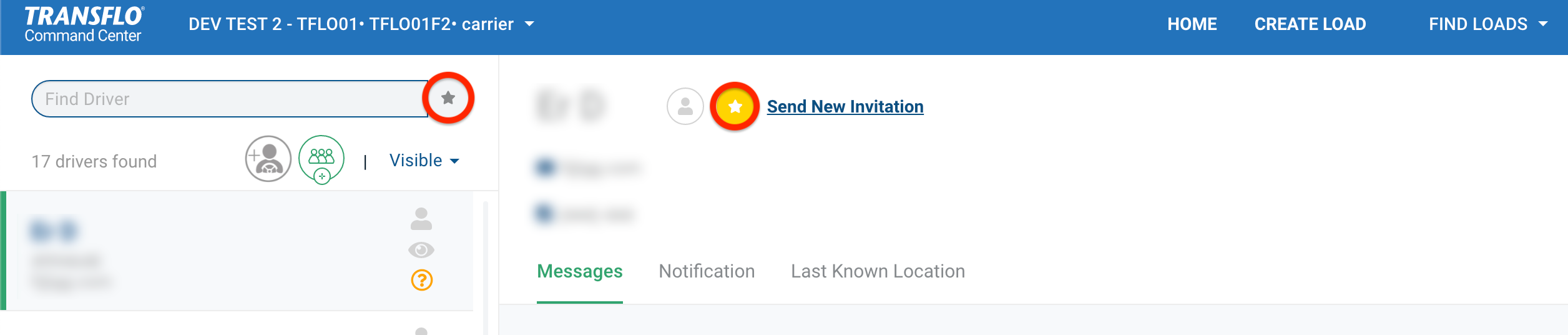
In the panel on the right, click Mark as Favorite.
-
The inverted colors of the Mark as Favorite icon indicate this driver is now a favorite throughout the system.
-
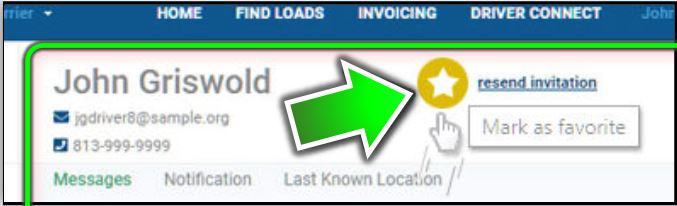
Each time you click Mark as Favorite, the favorite status of the driver toggles on and off. The following subtle inverted color change occurs:
 Favorite: A full yellow circle with a white star.
 Not a Favorite: A white circle with a yellow star.
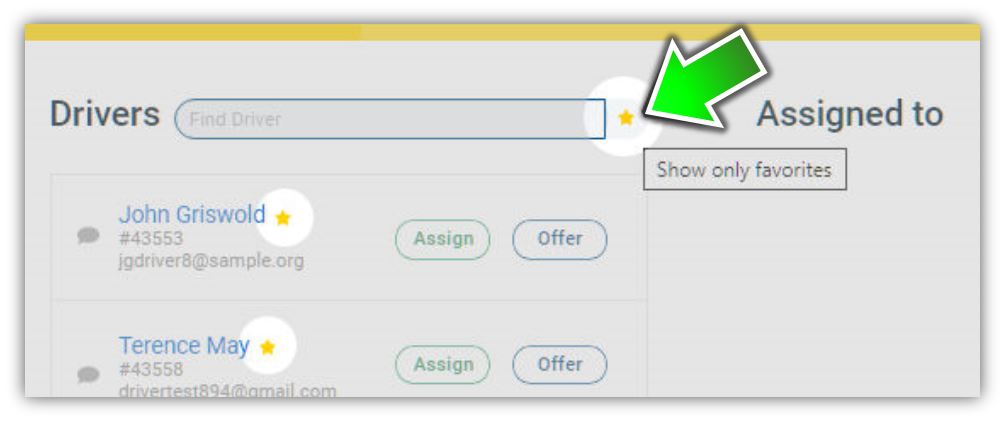
Tip: When you assign or offer loads, a yellow star icon indicates a driver is a favorite. The star for other drivers remains gray. Click Show Only Favorites to see only favorites in the list of drivers. Other drivers no longer appear in the list.
Remove Favorite Status for a Driver
Sometimes a preferred driver might need to cut back on hours or you simply want to remove them as a favorite.
You might also want to remove the favorite setting on a hidden driver. How helpful is their favored status if they are hidden? Therefore, before or after you hide a driver, we recommend that you remove their status as a favorite.
-
In the main menu, click DRIVER CONNECT.
-
Find the driver using any of the following options:
For example, a search on ter finds Terence May. Click Show Only Favorites to find the favorite driver who you now want to remove as a favorite driver.
To learn more, see Find a Driver.
-
On the left, select the driver.
-
On the right, click Mark as Favorite to toggle off or remove the favorite setting.
-
The driver favorites icon reverts back to normal (not a favorite) status.
-
Each time you click Mark as Favorite, the favorite status of the driver toggles on and off. The following subtle inverted color change occurs:
Favorite: A full yellow circle with a white star. Not a Favorite: A white circle with a yellow star.


