New! Start Transflo User Workflows
The powerful new multi-feature Transflo User Workflow solution runs your load workflows inside the Transflo Mobile+ app. Developers can also integrate the Transflo Loads SDK inside their own third-party freight logistics and fleet driver apps.
As a fleet administrator, you can even design your own load workflows in the new User Workflow Studio web portal. Leverage the power of the workflow design portal to provide clear step-by-step tasks and instructions for your drivers. You can control each required step and determine exactly what you want your drivers to see and do.
Don't have the time or resources to streamline your fleet operations? Don't worry—you can rely on the experts at Transflo to configure the right set of truckload and less-than-load (LTL) freight workflows based on the types of cargo, vehicles, equipment, and routes your fleet runs.
Use this start page in our product knowledge base (KB) to begin using one or more integrated components of the new Loads Workflow 2.0 suite of products:
-
Load Workflow Design Studio for fleet administrators
-
Mobile+ App for drivers on smartphones or tablets
-
SDK for developers to integrate inside your own mobile app
 This KB article describes new features under development in the 2025-2026 pre-release BETA edition of Transflo User Workflows (also known as Loads 2.0). All KB articles are subject to change with or without notice and will be updated to align with future product development.
 User Workflow Design Studio for Fleet Administrators
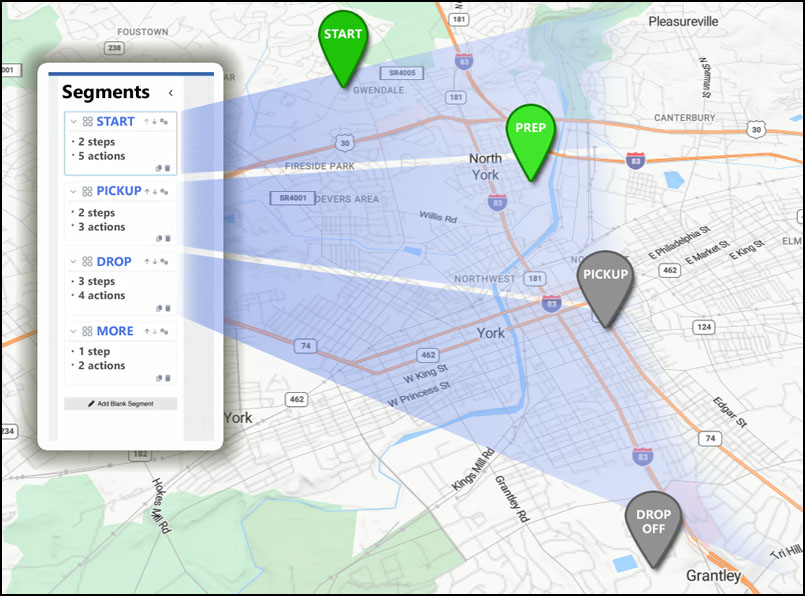
If your Transflo subscription includes access to the new User Workflow Design Studio web application, you can build your own load and LTL workflows with segments, steps, and actions for drivers to complete on their mobile device phone, tablet, or handset.
Example: Build Your Own Segments or Legs in a Driver Workflow
Log In
If your Transflo subscription includes access to the new User Workflow Design Studio web application, log in through the Transflo Portal. See New! Transflo Loads Workflow 2.0 Studio.
Log Out
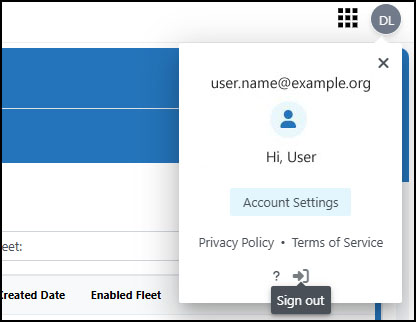
Click your username at top right. Click Sign Out.
Reset a Forgotten Password
If you cannot remember your password, you can request a special link by email that allows you to reset your password.
Return to Portal
Return to the Transflo Portal when you want to:
-
Switch to another application in your Transflo account subscription.
-
Update your user account settings.
-
Update your password as a security best practice.
-
Sign out of the portal. As a security best practice, you can fully sign out of the portal and close all browser windows.
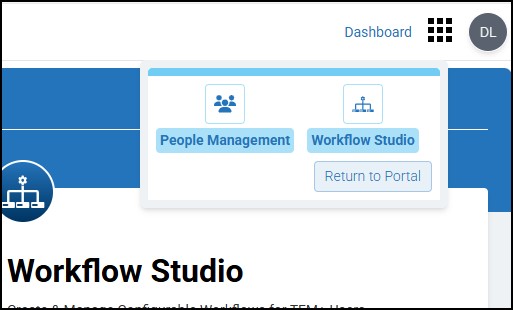
Click  Menu at top right and then click Return to Portal.
User Workflow Mobile App Features for Drivers
As a driver, you get the new user workflows (also known as Loads 2.0) automatically when you tap Loads in Transflo Mobile+ on your tablet or smartphone.
In early 2026, your fleet configuration will migrate and auto-update from legacy loads (Loads 1.0) to the new user workflows (Loads 2.0) for drivers. As soon as you complete your final load shown in the older screens of Transflo Mobile+ on your device, your device and Mobile+ app will auto-refresh to show the new screens behind the same Loads button you always tapped.
Tip: Your fleet will migrate from the legacy Loads 1.0 to the new Loads 2.0 in phases between December 2025 and June 2026. Two (2) hours after your fleet migration cut-over time, you can restart your device and re-launch the Transflo Mobile+ app to speed up the process of getting you to the new user workflow (Loads 2.0) features. As of December 2025, to view the new user workflows known as Loads 2.0, you must be running Release 6.7.3 or later of the Mobile+ app. As of January 2026, for best results, uninstall Transflo Mobile+ and re-download, re-install, and re-register Transflo Mobile+ Release 7.0 or newer.

Tip: Your fleet will migrate from legacy Loads 1.0 to the new Loads 2.0 in phases from December 2025 to June 2026. Two (2) hours after your fleet migration cut-over time, you can restart your device and re-launch the Transflo Mobile+ app to speed up the process of getting you to the new user workflow (Loads 2.0) features. As of December 2025, to view the new user workflows known as Loads 2.0, you must be running Release 6.7.2 or later of the Mobile+ app. As of January 2026, for best results, uninstall earlier versions of Transflo Mobile+ and re-download, re-install, and re-register Transflo Mobile+ Release 7.0 or newer.
Drivers Using the Transflo Mobile+ App
As a driver, we have worked hard to make your transition to the new Loads 2.0 features as seamless as possible. After December 2025, Release 6.7.3 and 7.x of the Mobile+ app will automatically update itself on your device.
-
Nothing special is required for you to get the new user workflow features. You automatically get them within ten (10) hours of your fleet cut-over time. However, for best results, uninstall earlier versions of Transflo Mobile+ and re-download, re-install, and re-register Transflo Mobile+ Release 7.0 or newer.
-
To avoid surprises and disruptions, the new load workflow screens do not appear until after you complete your last load on the older legacy load screens.
-
After your fleet converts to the new Loads 2.0 features, you can learn how to get the most out of your new app features and get help by reviewing the KB articles for drivers. See New! Transflo Loads 2.0 List for Drivers.
This KB article describes new features under development in the 2025-2026 pre-release BETA edition of Transflo Loads Workflow 2.0. All KB articles are subject to change with or without notice and will be updated to align with future product development.Drivers Using Transflo Mobile+ R6.7 on Honeywell Handsets
In October 2025, certain drivers can start using a special embedded edition of the Mobile+ app on their rugged Honeywell handsets. Contact your fleet supervisor to learn more.
As a driver, your embedded handset app experience includes the following key characteristics:
-
You do not need to download or install anything; your admin will set up the app on each handset.
-
Your app was based on the features in Mobile+ Release 6.6 during BETA phase and will transition to a special edition of Mobile+ Release 6.7 exclusively for fleet-specific pre-configured handsets.
-
Your app runs on the Android operating system (iOS is not supported).
-
To extend battery life, your edition of the Mobile+ app runs only in dark mode.
-
When you log in to the Transflo Mobile+ app, you must use your existing Geotab username and password. Your credentials are shared across the Mobile+ app and the Geotab ELD functionality so that your experience with loads, scans, HOS, and other features is seamless.
-
Your app supports built-in hardware keys. In addition to tapping directly on your device screen like a smartphone or tablet user would, you can also press the appropriate hardware keys on your handset.
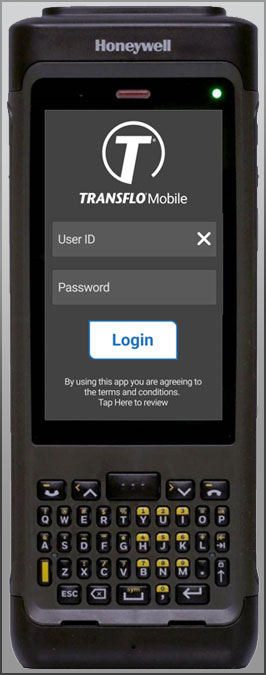
Example: This example shows the new Loads 2.0 workflow and user login features in Transflo Mobile+ running on a mobile device handset engineered for freight shipping and delivery personnel.
Tip: Your user ID should be the same for your Transflo Mobile+ and Geotab HOS/ELD registrations. Use the same user ID for those two (2) separate driver accounts. Later, when you tap HOS Login, an easy single-sign on (SSO) process automatically authorizes you and logs you in based on the Geotab User ID you already entered when you logged in.
This KB article describes new features under development in the 2025-2026 pre-release BETA edition of Transflo Loads Workflow 2.0. All KB articles are subject to change with or without notice and will be updated to align with future product development.Drivers Using Transflo Loads in Another App
Drivers and fleet managers can contact our Sales team to learn about exciting opportunities in 2026 to run the new Transflo driver workflows for truckload and LTL routes as an API or SDK embedded within your choice of third-party mobile app.
Not yet available. More information about this future feature will appear here in a future update as information becomes available.
This KB article describes new features under development in the 2025-2026 pre-release BETA edition of Transflo Loads Workflow 2.0. All KB articles are subject to change with or without notice and will be updated to align with future product development.User Workflow (Loads 2.0) SDK and API for Developers
SDK
Not yet available. More information about this future feature will appear here in a future update as information becomes available.
This KB article describes new features under development in the 2025-2026 pre-release BETA edition of Transflo Loads Workflow 2.0. All KB articles are subject to change with or without notice and will be updated to align with future product development.API
Not yet available. More information about this future feature will appear here in a future update as information becomes available.
This KB article describes new features under development in the 2025-2026 pre-release BETA edition of Transflo Loads Workflow 2.0. All KB articles are subject to change with or without notice and will be updated to align with future product development.


