Reset My Transflo ELD Account Password [retail driver retail admin hos-app]
As an owner-operator or driver for a fleet with a monthly credit card on file for your ELD account, you might forget your password. Some users prefer to change their password for security reasons. Follow these steps to reset your account with a new password.
Tip: If you forgot your password, don't worry about how you are going to get it back; just reset it to a new one. We cannot send it to you. If you really liked your old password, you can reset it back again.
If you are an owner-operator or small fleet driver who purchased your ELD at a retail store location, follow these steps to reset your ELD password:
-
On your mobile device, launch a web browser app such as Safari or Chrome.
-
Navigate to our secure HOS registration site (also known as the Transflo HOS web portal):
-
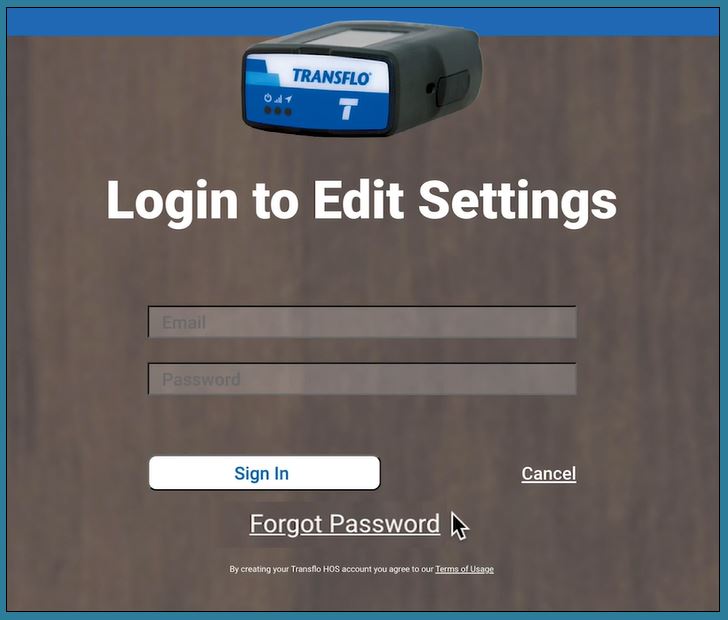
On the HOS portal Login page, click Forgot Password.
-
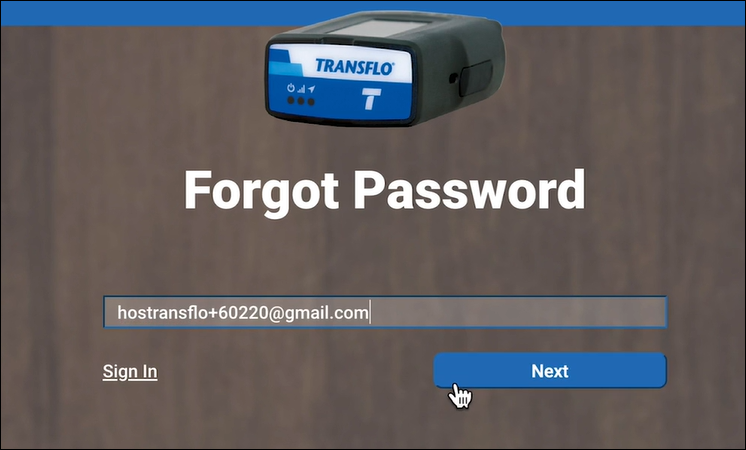
On the next screen, enter your e-mail address (the original e-mail address you used when you first registered your ELD) and click Next.
-
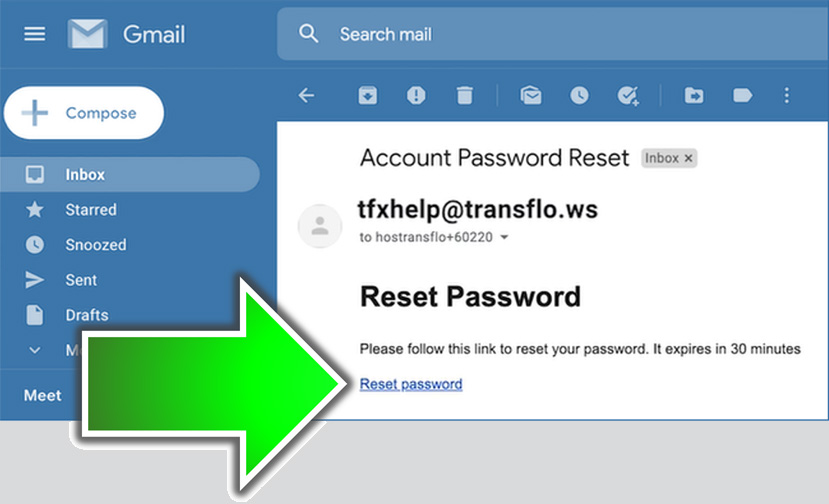
Go to wherever you view your e-mail inbox. Log in to your email account, open the email message from Transflo and click the Reset password link. The reset link will expire one hour from when it was sent.
-
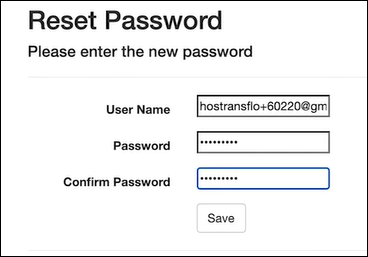
On the Reset Password page, enter your new password and type it again to confirm.

Tip: Passwords must meet the following minimum security requirements:
- eight (8) characters
- one (1) uppercase letter (ABC...)
- one (1) number (123...)
- one (1) special character such as $ ! @
-
Click Save.
 View a demonstration of these steps in one or more Transflo videos:


