Email Your HOS Logs (Not DOT) [driver]
If this option still appears in your app, you can send your HOS log data to one or more recipients by e-mail.

Note: This deprecated feature is not available for new customers. This KB article is about a convenient legacy feature for established customers to send your HOS logs by email. You would not use this feature to send DOT or FMCSA data. If you want to transfer logs in the Transflo Telematics web portal to the official EROD system that compliance officers use, see Transfer ELD Duty Status Logs to FMCSA [fleet retail driver retailadmin administrator gtportal tfm hos-app].
To send your HOS logs to someone by email, launch the Transflo HOS app or Transflo Mobile+ app and follow these steps:
-
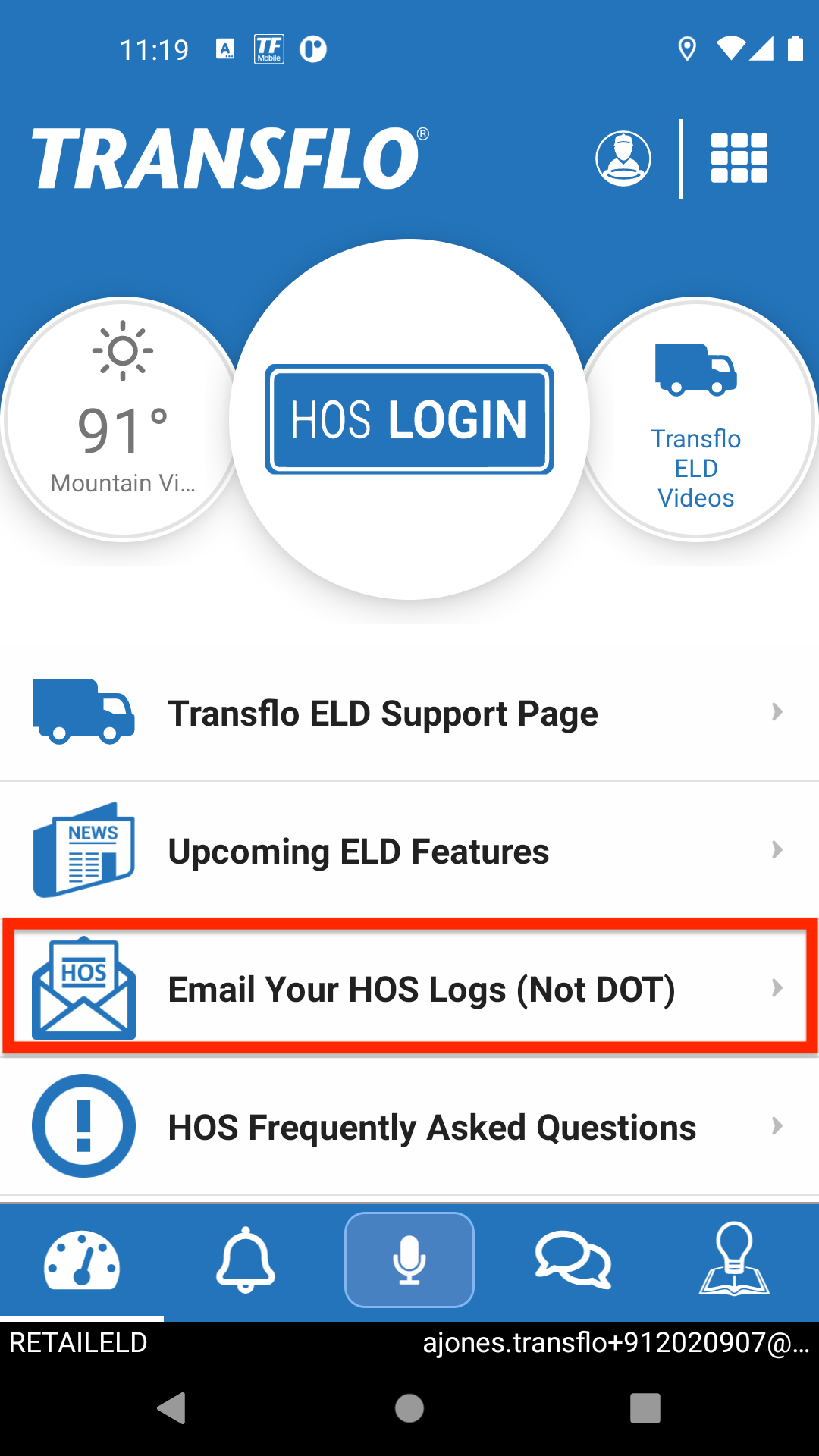
On the Home screen or dashboard, tap Email Your HOS Logs (Not DOT).
-
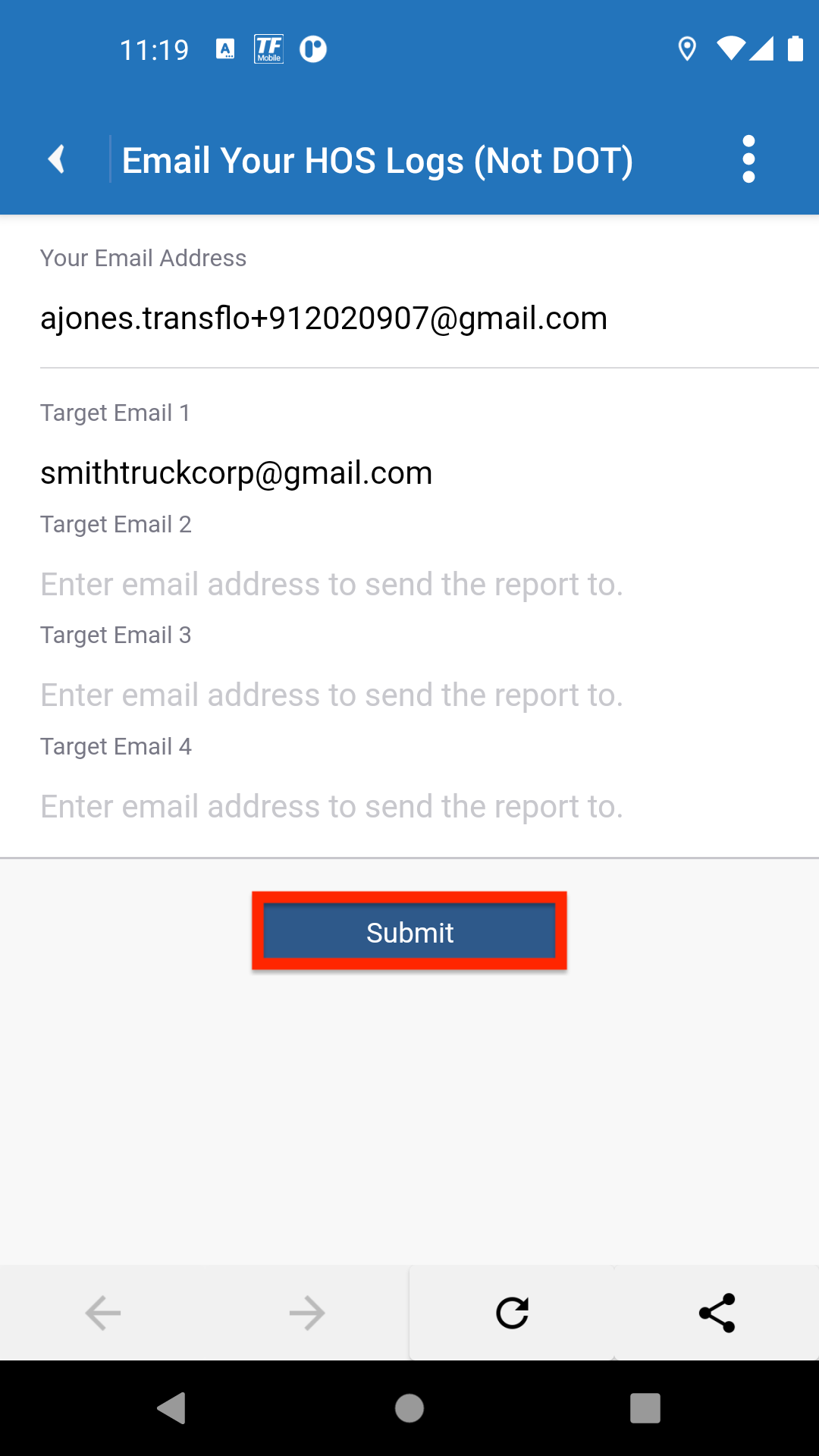
On the next screen, enter at least one (1) and a total of up to four (4) Email addresses of the recipients you want to receive your HOS Logs.
-
When ready to send, tap Submit.
-
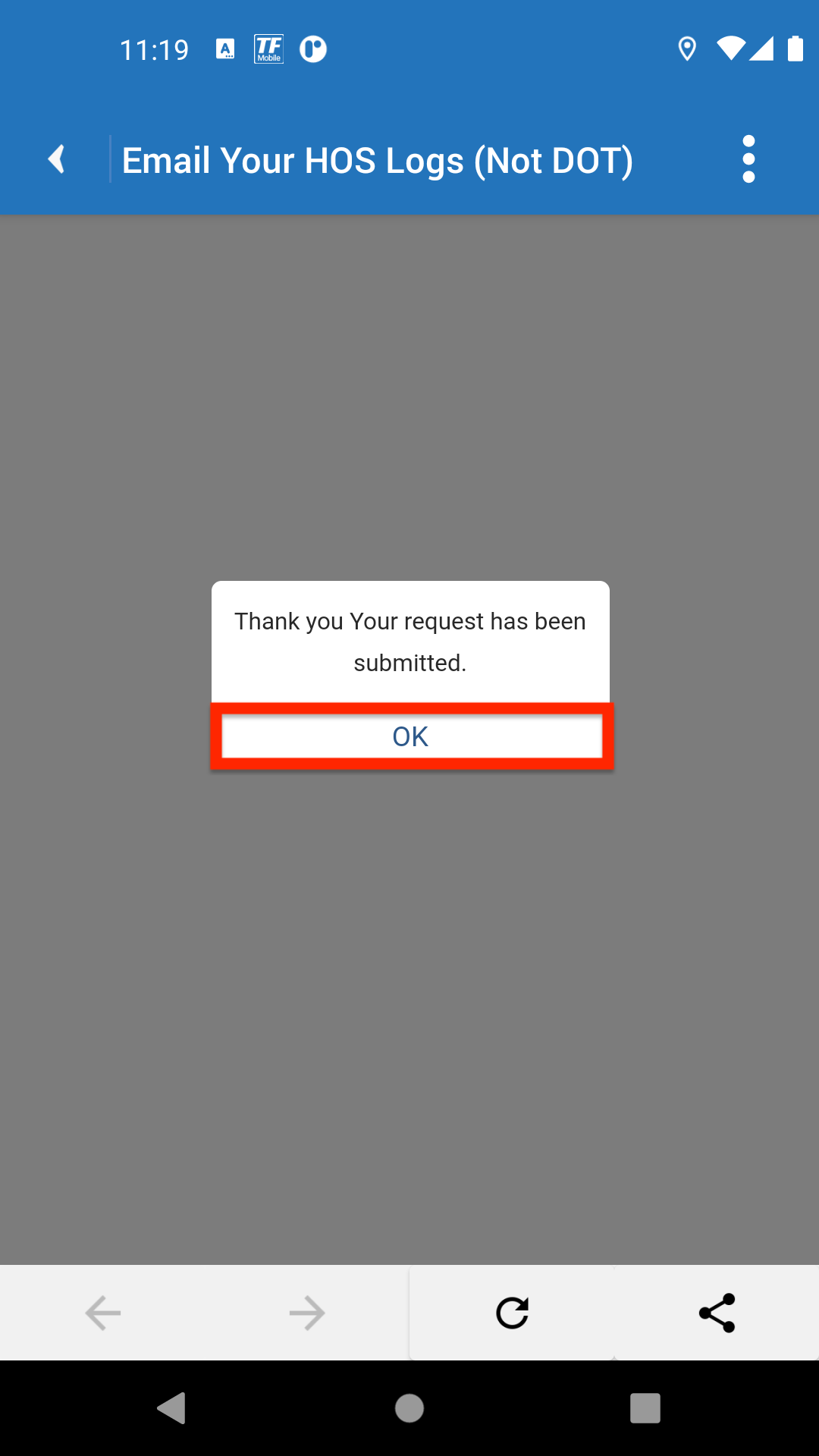
In the Thank you: Your request has been submitted confirmation message box, tap OK to go back to the Home screen or dashboard.
Note: This feature is not provided by the core Geotab Drive app. It was provided by Transflo to a small subset of core customers; however, it is no longer offered as an available feature.
 View a demonstration of these steps in one or more Transflo videos:


