View a Driver Compliance Print Report [fleetdriver retaildriver retailadmin hos-app tfm]
As a driver, you might be asked to display a Compliance Print report on your mobile device during a roadside check. Some drivers refer to this as DOT inspection mode.
Compliance Print (for HOS Logs) Examples:
-
Roadside Inspections: It's a crucial backup for when electronic data transfer to a DOT officer fails, providing a visual or printed record of duty status.
-
Unverified Logs: If logs aren't verified in the app within 14 days, managers can use the Print function in the Transflo Telematics web portal to get them signed, ensuring compliance. As a retail ELD account holder or fleet administrator, you can log in to the myGeotab or my.transfloeld.com web portal to generate a compliance report.
Keep the following guides for drivers in your commercial motor vehicle (in paper or an electronic format) and be prepared to demonstrate you have access to them by clicking live links or showing a downloaded copy on a tablet or a printed copy.
- Guide to the Drive App
- Guide to Data Transfer at Roadside Checks
- Guide to Data Diagnostics & Malfunction Events
FMCSA 49 CFR §395.22(h) requires drivers in the USA to have these documents available during a roadside check. In addition, drivers must have a supply of blank Records of Duty Status (RODS) paper logs sufficient to record the driver duty status and other related information for the duration of the current trip. Typically, you cannot use paper logs continuously for more than eight (8) days. FMCSA 49 CFR §395.22(i) also states that drivers must maintain a second backup copy of their electronic hours-of-service (HOS) log files, organized by month, at a different physical location from where the original data is stored.
 Transflo Mobile+ or HOS App
As a driver, if a compliance officer requests that you show a Compliance Print report on your mobile device during a roadside check, follow these steps:
-
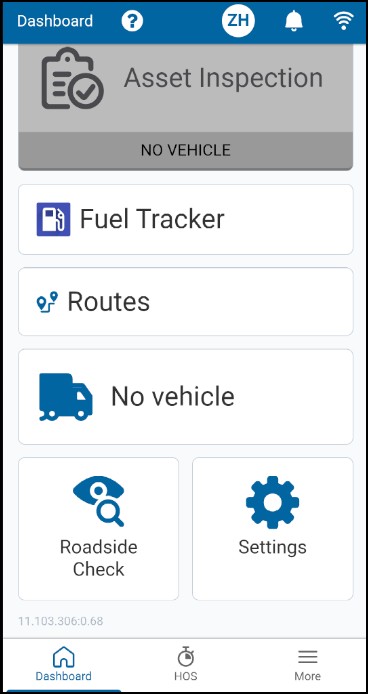
On your mobile app, navigate to your Electronic Logs (HOS) Dashboard.
-
Tap one of the following options:
-
Roadside Check
-
≡More in the bottom right corner and then tap Roadside Check.
-
-
Create an optional 4-digit private security PIN and select Set PIN. Enter your 4-digit PIN again and tap Confirm PIN. To skip this step, select No PIN.
-
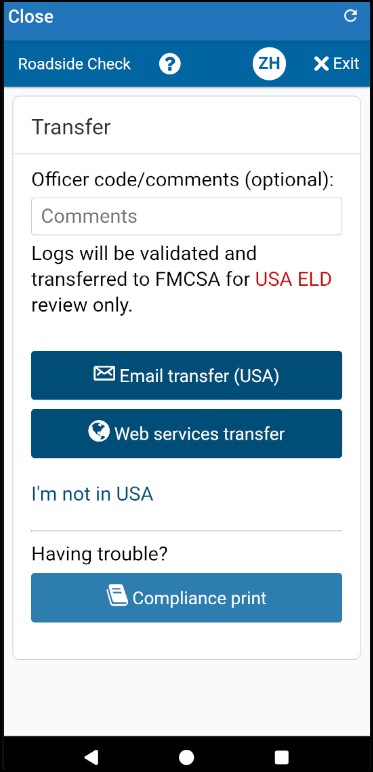
Tap Compliance Print.
-
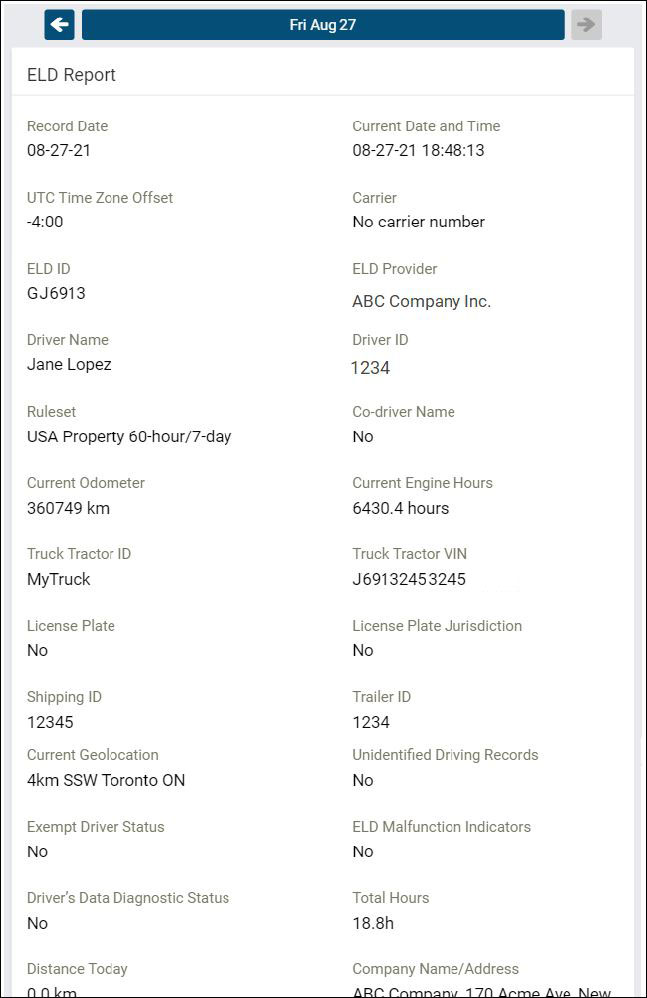
The Compliance Report appears on your mobile device.
-
Use the arrow buttons at the top to display up to eight (8) days of logs for US rule sets, and up to fifteen (15) days of logs (for Canadian rule sets). You can also select a date from a list.

-
If your app language settings show a non-English language, a button allows you to toggle the compliance report into English.

-
-
In roadside check mode, if you are not assigned to your current vehicle, the app shows the odometer, engine hours, and other vehicle-related data from the previously assigned vehicle.
-
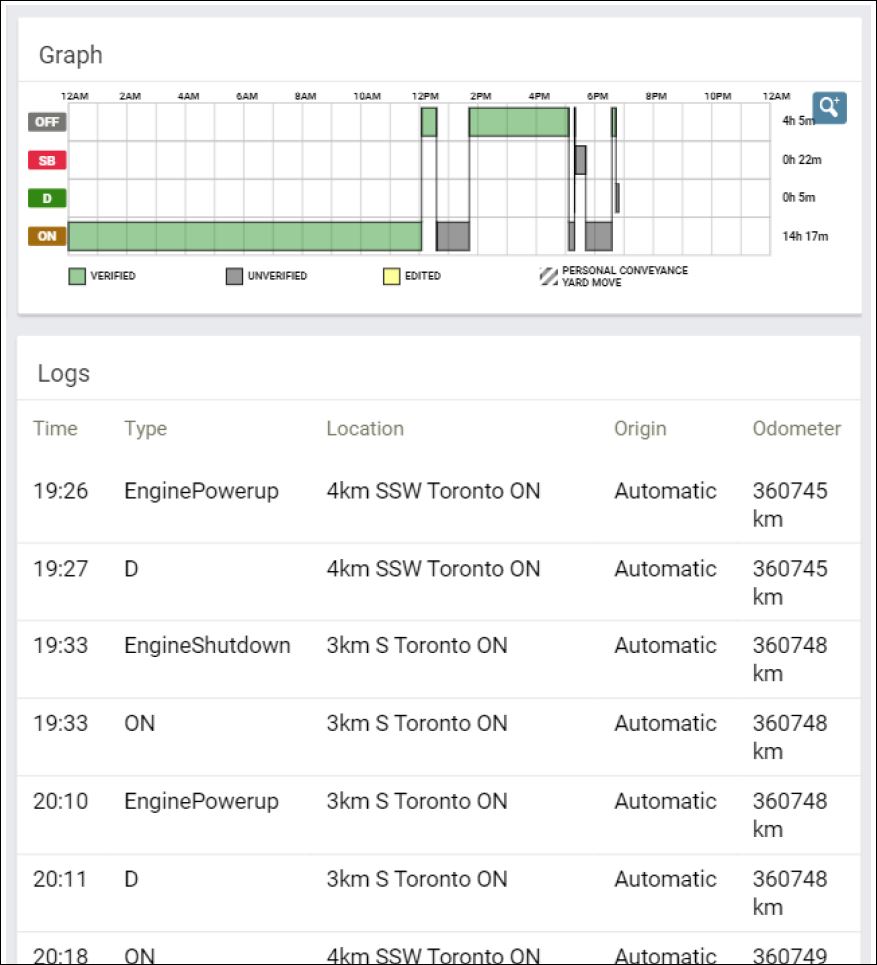
Scroll down to the Graph view to display your duty status and logs over a 24-hour period for a given day. An overview graph of driving time appears.
-
If you apply a personal conveyance (PC) exemption and then drive the vehicle, the compliance report does not count the odometer or engine hours for the duration of that driving segment.
-
Keep scrolling to display additional logs.
-
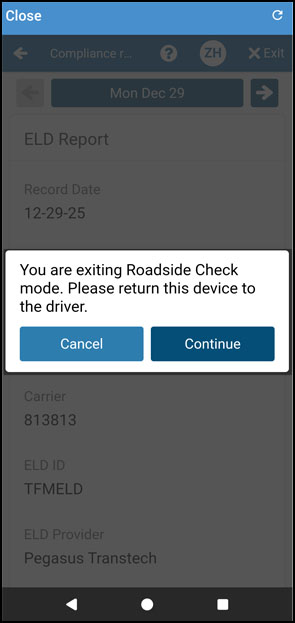
After the inspection is over, press X Exit in the top-right corner to exit roadside check mode. If you handed your mobile device to the inspection official (so they could view your on-screen compliance report), the app prompts the inspector to return the device to the driver.
-
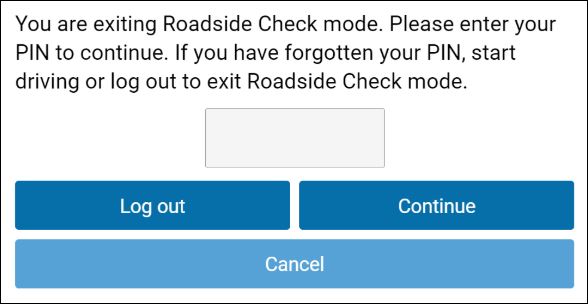
If you specified a PIN when you started roadside check mode, the app prompts you to enter the 4-digit PIN that you set again now to exit roadside check mode.
Press Continue.
-
If you forgot your PIN, you can try one or both of the following workarounds to exit roadside check mode:
-
Tap Log Out to log out of Transflo HOS and then you can log back in again later.
-
Start driving just a few seconds.
-
-
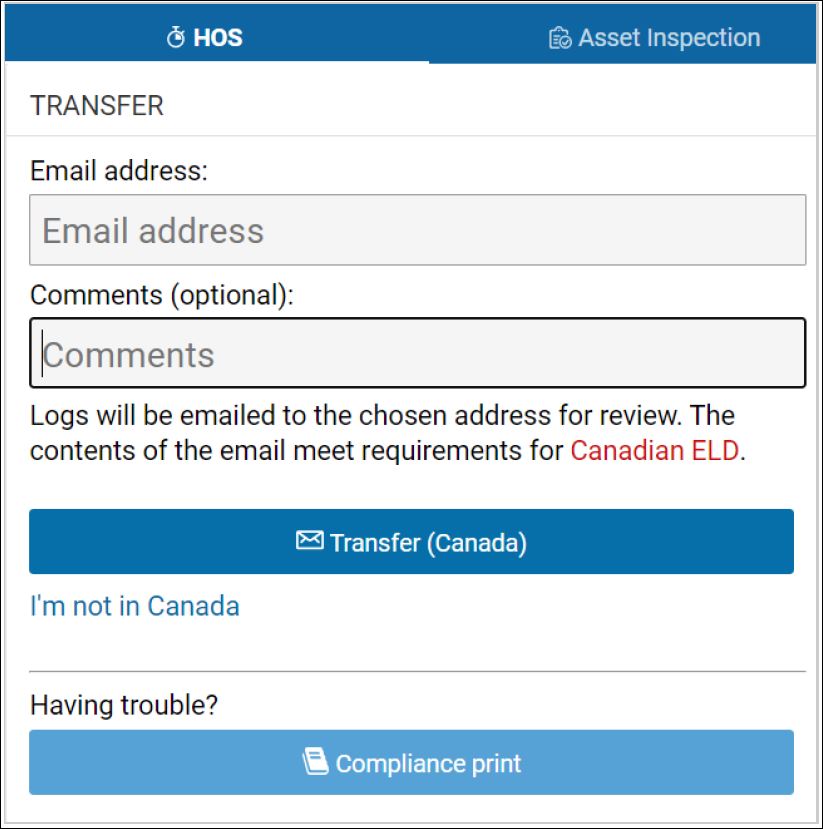
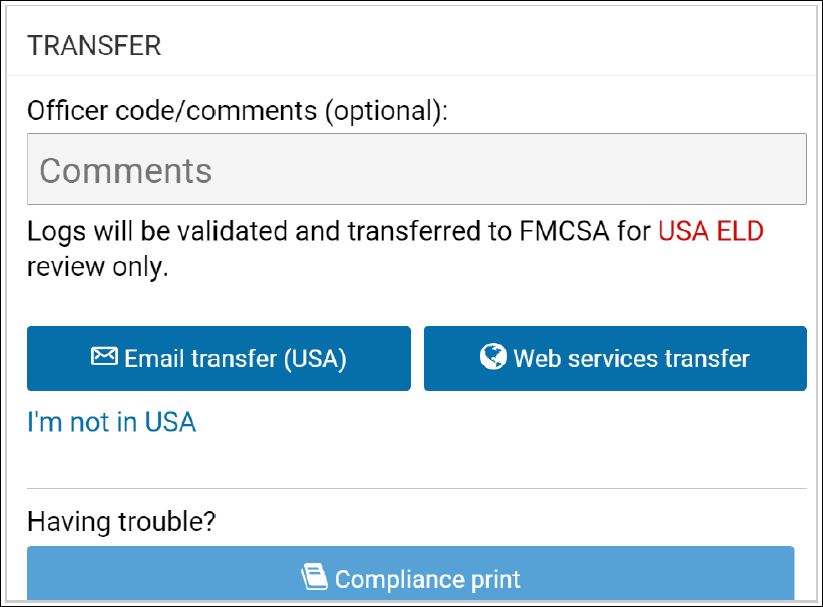
(Optional) You can also transfer your compliance data at roadside checks using an email service. To transfer data, enter an email address, and additional comments in the app.
An encrypted email with your compliance logs from the last retention period (7 to 14 days, depending on the ruleset) is sent to the specified email recipient. You can do a personal transfer or a formal transfer to compliance authorities. See the following KB articles:
-
Email Your HOS Logs (Not DOT) [driver] for personal or company use
-
Transfer ELD Duty Status Logs to FMCSA [fleet retail driver retailadmin administrator gtportal tfm hos-app] for compliance
Examples for Canada and USA:
-


