Known Issue: Blank Screen, No Scan Option, Cannot Scan Documents
As a driver experiencing this unique rare temporary known issue with the Transflo Mobile+ app Document Scanning features, use this KB article to resolve your issue.
In the Mobile+ app on Android OS or Apple iOS devices, you might encounter the following known issue:
The Scan Documents or Document Scanning menu item is no longer visible.
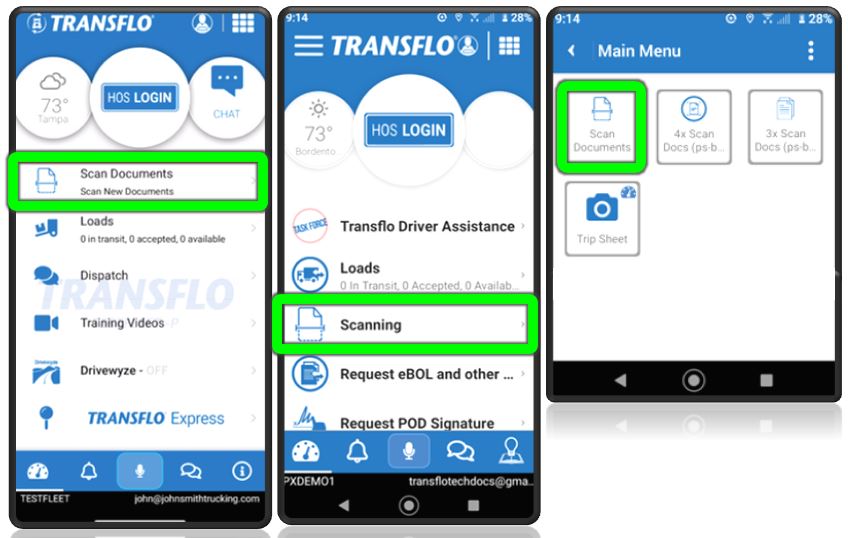
Some users have reported their entire Home screen or dashboard disappears, is white, empty, or goes blank.
This issue was believed to impact only a subset of drivers with a configured Recipient ID or Fleet ID set to Label or Label1; however, during 2025 additional users appear to be impacted.
Five (5) workarounds are available. You can wait for a patch, submit your documents using another method, or immediately fix this issue yourself by adding your fleet recipient ID again (and deleting your previous fleet or recipient ID), refreshing the configuration, or by performing an uninstall/re-install of the app and then re-register as if you were a new user again.
 Workaround Fix 1: Edit and Save Your Fleet Again
Estimated Time: 3 minutes
-
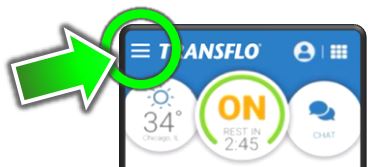
In the Transflo Mobile+ app, at top left, tap the ≡Actions menu.
-
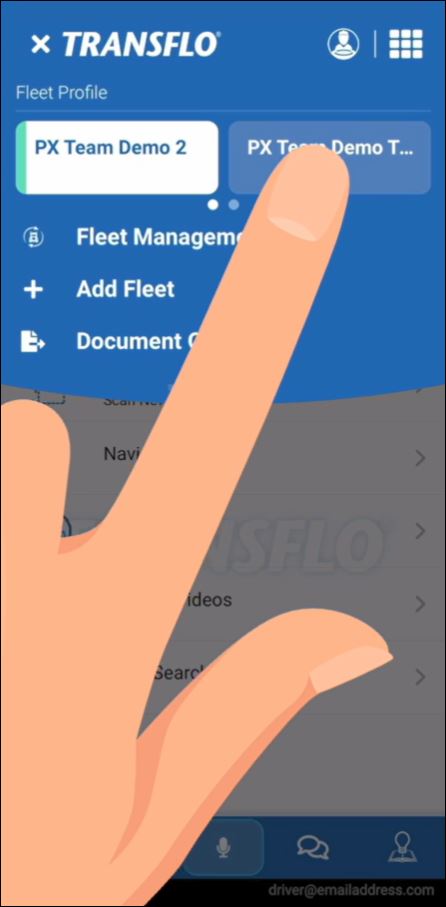
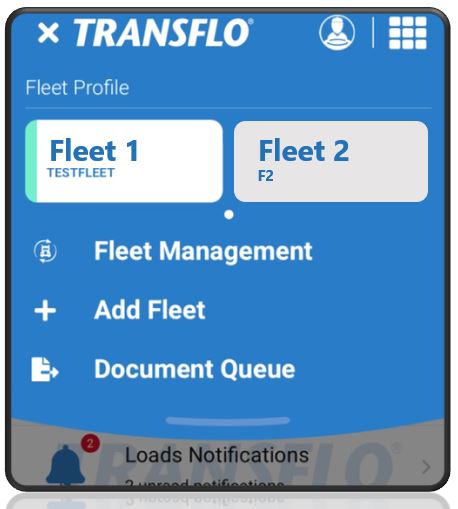
Tap the correct fleet at the top of the screen.
-
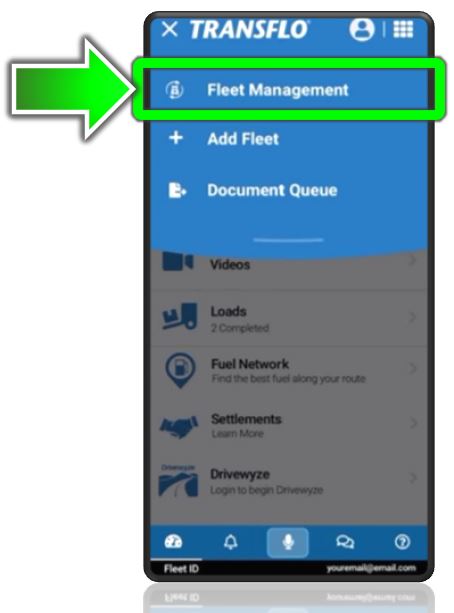
Tap Fleet Management.
-
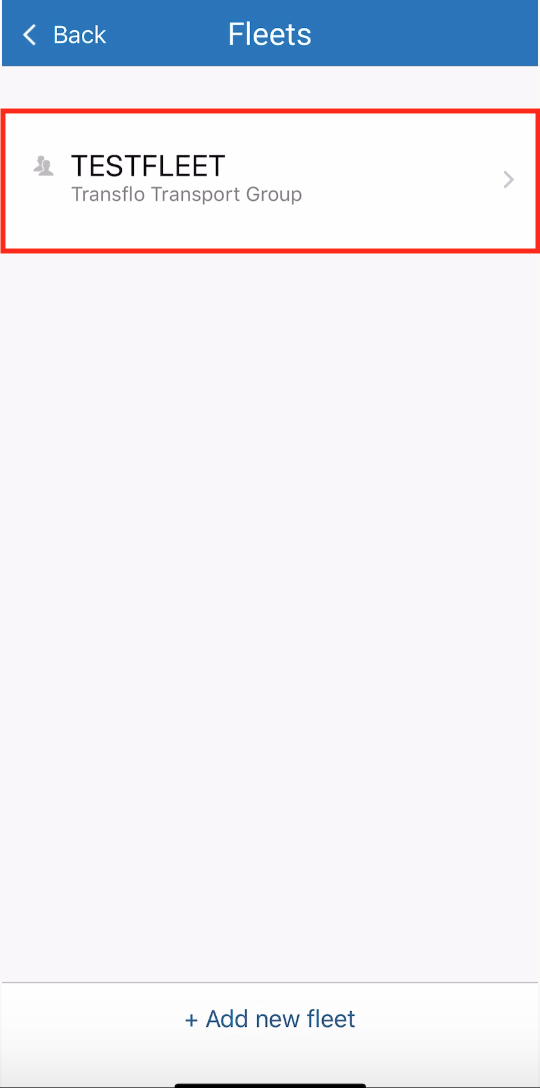
Tap your fleet.
-
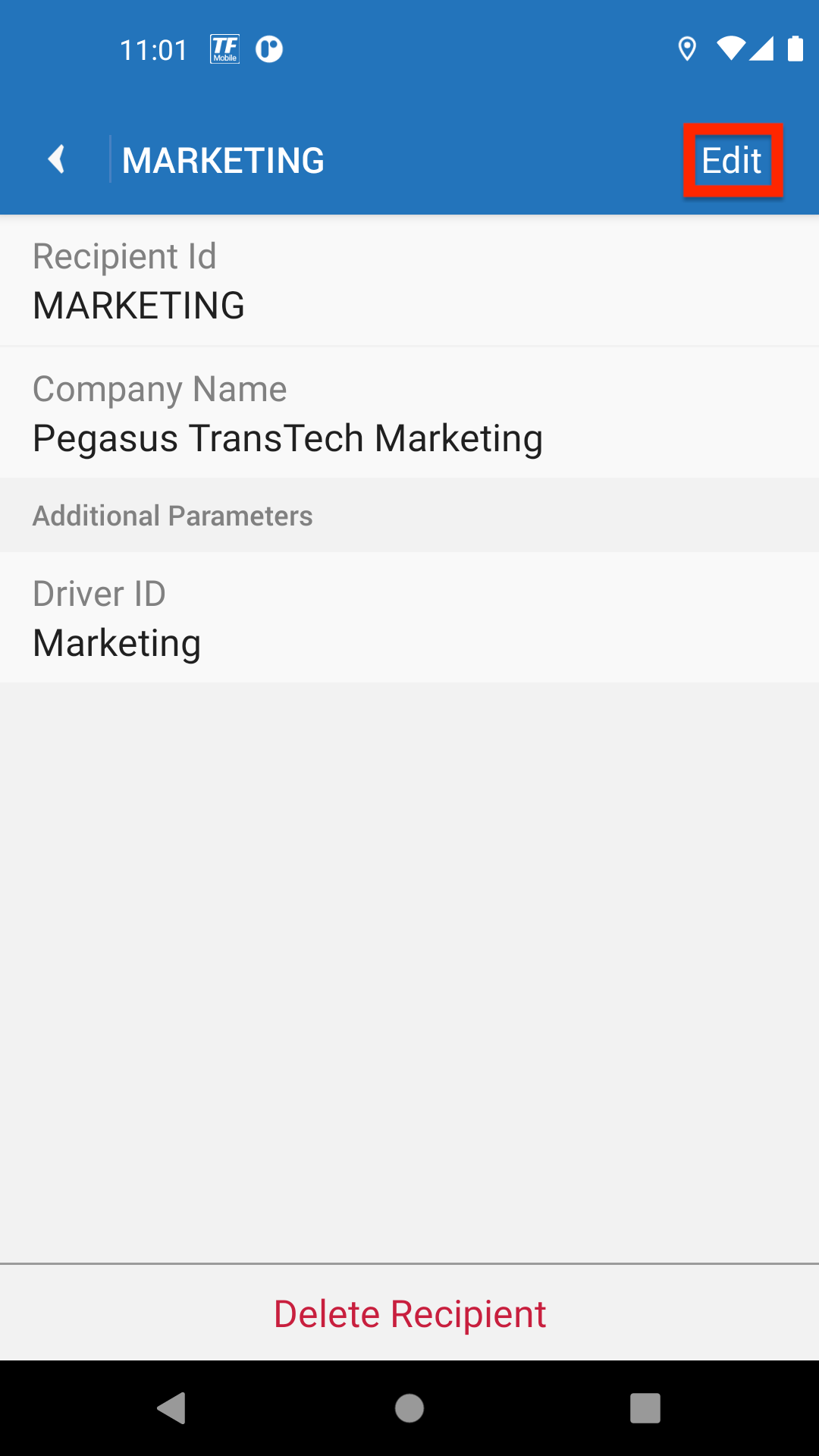
Tap Edit. Verify the info is correct. For this workaround, you do not have to make any actual changes.
-
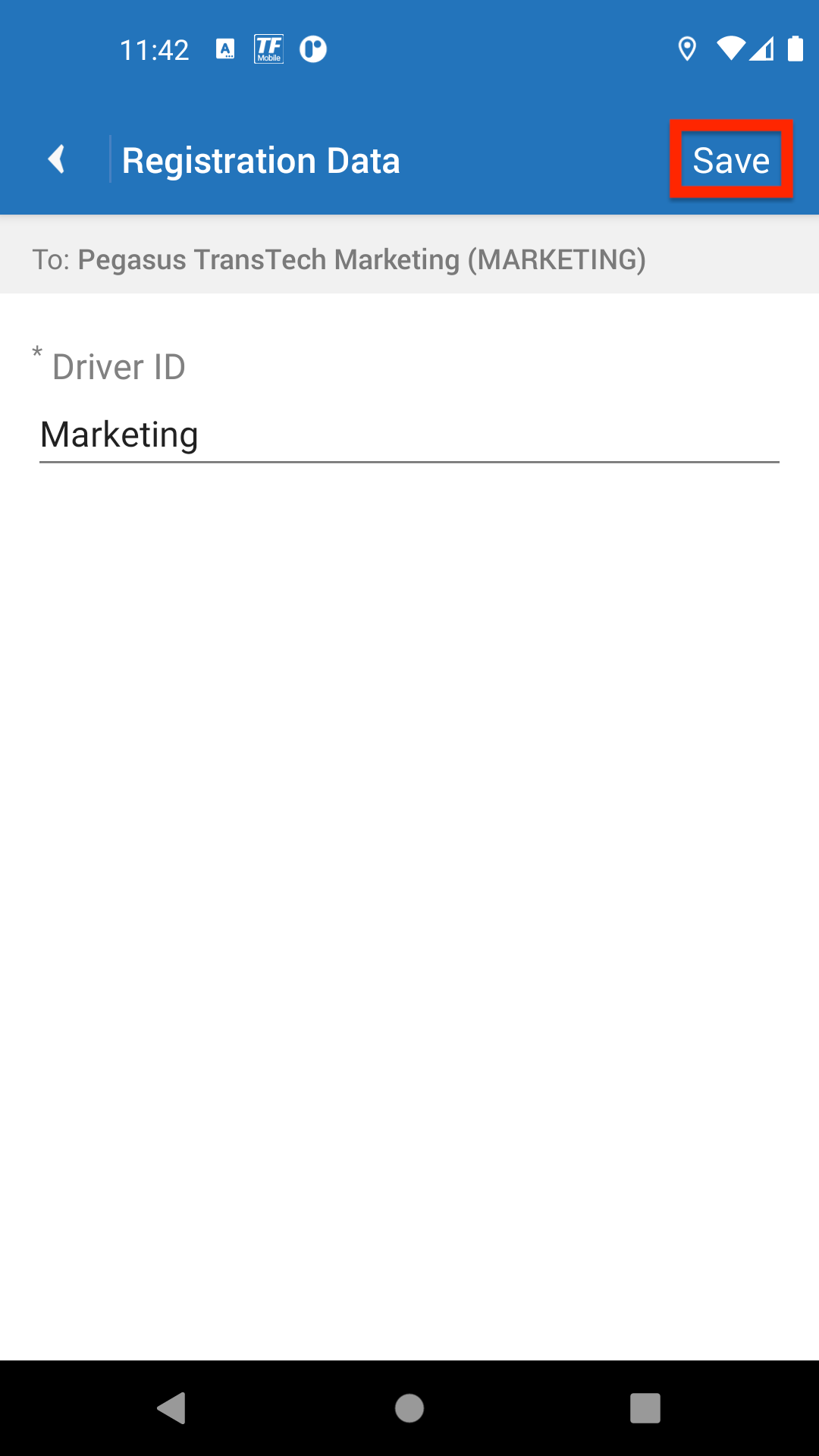
Tap Save.
-
Now you should be able to go back and see the Scan Documents button on your dashboard, main menu, or Home screen.
-
If you need help, see Set Up Recipients, Fleets, or Brokers (New Design). Contact your supervisor to get your fleet ID. See What is My Fleet ID?
Workaround Fix 2: Delete and Add Fleet ID Again
Estimated Time: 5 minutes
-
Remove the old fleet ID entry.
-
Add the fleet ID again. See Set Up Recipients, Fleets, or Brokers (New Design).
Contact your supervisor to get your fleet ID. See What is My Fleet ID?
-
Close the Mobile+ app and then launch the mobile app again.
Workaround Fix 3: Refresh Your Configuration
Estimated Time: 5 minutes
On Apple iOS devices, you can tap User Settings, Device Settings, and then tap the Refresh Configuration button.
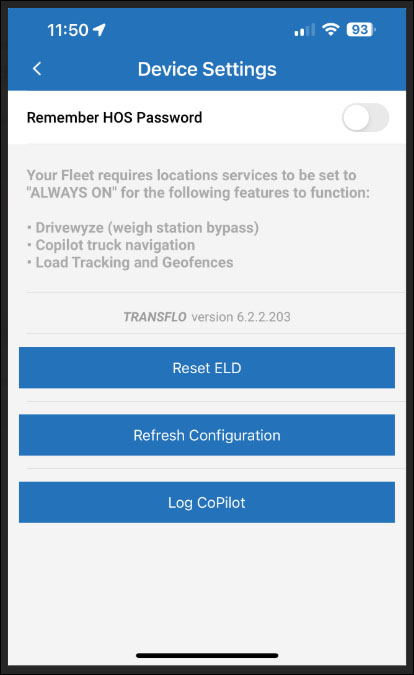
See Refresh Your Transflo Mobile App To Fix Potential Problems.
Workaround Fix 4: Uninstall/Reinstall and Register Again
Estimated Time: 10 minutes
-
Make sure you are in a safe location and your device has a good data or wireless (Wi-Fi) network connection.
-
Remove (uninstall) the Transflo mobile app from your mobile device.
-
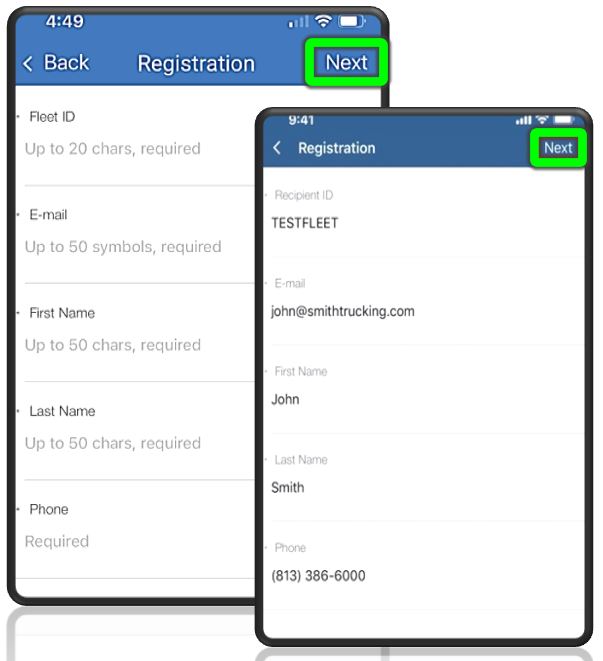
Re-install the latest new version of the Transflo Mobile app and register as a new user. See Set Up a New Transflo Mobile+ Account.
-
Verify your Fleet ID (or recipient ID) is set to the correct ID for your fleet (for example, CarrierFleet123).
-
Contact your supervisor to get your fleet ID. See What is My Fleet ID?
Workaround Fix 5: Submit Load Documents Using Another Method
Estimated Time: 10 minutes
For example, use eBOL or ePOD with electronic signatures, use a self-service kiosk, drop in a TripPak envelope, scan with TransfloNow software or Velocity client on your Windows PC or laptop, set up Workflow AI so you can e-mail documents or send them by SMS text message, or use another method.
See https://knowledge.transflo.com/express/Default.htm or Send Load Documents thru Transflo.
Workaround Fix 6: Wait for a Patch
Estimated Time: Unknown. For this recurring issue impacting a small subset of users, additional research and integrated live environment testing is required and ongoing.
No action required at this time; however, if you continue to experience this blank screen issue, you are encouraged to report it to your fleet supervisor or administrator who can escalate the issue to our Support team. If you contact Support alone, your issue will be resolved with a workaround; however, if several different admins from different carrier fleets call in to report that hundreds of users are experiencing the same issue, it is more likely the escalated issue will be scheduled for a future update.
Keywords: Dashboard is gone TRANSFLO Home Screen will not let me access the icon for the camera to scan paperwork Why does the scan part keep disappearing no buttons on my dashboard no way to scan paperwork I am unable to upload paperwork The app will not open completely I cannot get this to scan App updated can’t use it different screen My TRANSFLO app is not giving me an option to scan my BOL documents App not scanning pictures My TRANSFLO mobile app does not give me the option to snapshot my bills I’m trying to submit document (bill of lading) no option to do so i am not able to scan and send documents I don’t see where to scan documents. Just a blank screen I can’t open the chat screen on my app I need help getting to the scan document my transflow homepage has not been working and loading properly My main page is blank it does not give me an option to snap a picture of my bills Need to flow paperwork can’t get to that screen My app is not working TRANSFLO won’t let me scan documents Can’t scan on app App doesn’t scan Scanning won’t show on screen Cannot scan papers Can’t find scan documents Cannot scan my documents TRANSFLO is not working My scan document is not coming up My TRANSFLO changed from operating screen Why does my Home Screen keep disappearing? Why is this mobile app not giving me the option to scan documents mobile app is not giving me the option to take pictures Why is dashboard not coming up? Why is the screen blank? App is not allowing me to do anything Screen is blank App is not giving me the scan documents option Nothing shows up to scan documents


