Reactivate Expired or Suspended Transflo HOS ELD Telematics Service [retail driver retailadmin administrator hos-app tfm]
For smaller fleets with 5, 10, 20, or up to 30 trucks, economical retail telematics service is available. Owner-operators and smaller fleet administrators can purchase Geotab ELDs and register each one for HOS service provided by Transflo.
Several months or years down the road, some owner-operators discover they are paying for monthly ELD service for non-working drivers, parked trucks, or other inactive vehicles.
-
To fix this problem and reduce the monthly subscription fees, temporarily suspend HOS service.
-
To reactivate service later when business picks up again, follow the steps below.
Over time, it is not unusual for some drivers to encounter the following problem with their Transflo HOS service:
-
A driver discovers they have no HOS status. They remain parked only to discover their ELD subscription has been suspended.
-
What often happens with smaller fleets is their credit card or debit card on file for their monthly ELD account service charges is lost, stolen, or expires.
-
For fraud protection, they cancel the old card not realizing it is on file for their ELD service.
-
Thus, their monthly HOS ELD and Telematics service payment doesn't go through because the card on file is no longer valid.
In these non-payment or missing payment situations, your ELD service is typically temporarily suspended but not permanently canceled unless you or your authorized fleet administrator call in to request cancellation.
To fix this issue, reactivate your HOS account, and get back to driving, follow these steps to update your HOS account with a new credit or debit card:
-
Navigate to https://hos.transflo.com and tap or click Login to log in with your same app credentials (e-mail and password). Or, you can enter your ELD serial number.

-
On the Edit Information page, verify your user information is correct and you have selected a valid rule set. If you missed a payment, your subscription might show expired. It might show suspended.
-
Under the ELD image, update your credit or debit card fields including the full card number, expiration date, and security code.
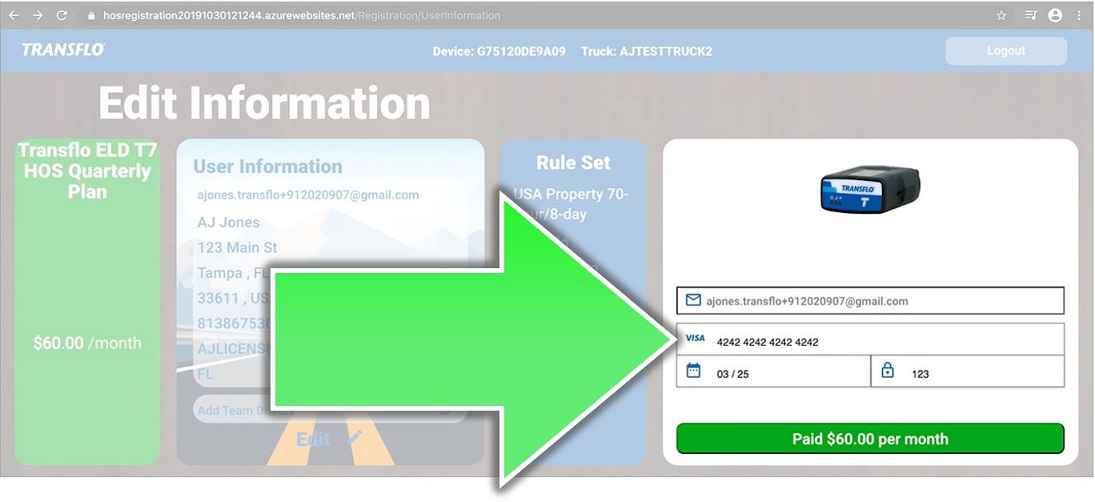
-
Tap the green Pay $60.00 per month button. This button may appear differently based on your fleet configuration. The price shown here is only an example; the actual monthly ELD subscription cost may vary.
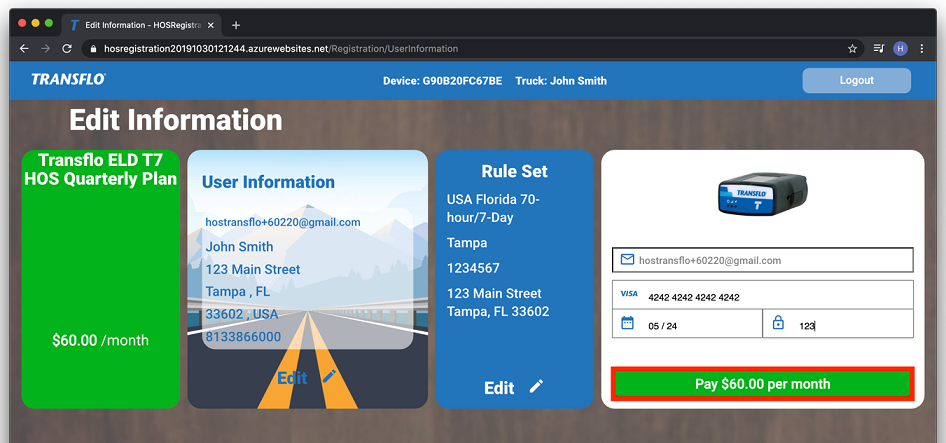
-
After making the full new payment (it can sometimes take up to 2 hours for your valid payment to go through successfully), your account should be reactivated in 5 to 10 minutes.
Tips:
-
After service is suspended due to a missing monthly payment, when you place a new credit card on file, you are responsible for the payment of any balance due (including all the monthly "on-hold" fees to keep your ELD in suspended status and avoid permanent cancellation) and for the payment of your first month of reactivated live ELD, HOS, and telematics service.
-
If you need to contact Transflo Support, be prepared to provide your exact username (email address) and ELD serial number.
-
You will not be able to use the device in future once it's been terminated. If wish to reactivate your subscription but you terminated service, you will need to purchase a new device.
-
 View a demonstration of these steps in one or more Transflo videos:


